Your shopping cart is empty!
Crawl budget is the number of pages Googlebot crawls on your site per day. For stores and portals with 10,000+ pages, running out of crawl budget directly blocks new product indexation. Below: a real case, diagnostic tools, and concrete steps to fix it.
Table of Contents
- What is crawl budget and how it works
- Who needs to worry: site size and priorities
- Case study: 15,000 SKU store — crawl budget x3 in 90 days
- What drains your crawl budget
- How to analyse: GSC Crawl Stats and server logs
- Robots.txt — the fastest way to save budget
- Canonical and noindex: precision control
- Table: site size vs recommended approach
- Frequently asked questions
What is crawl budget and how it works
Googlebot does not crawl the entire web uniformly. Every site gets a certain "quota" — the number of HTTP requests the bot is willing to make per day. Google officially calls this the crawl budget.
It is built from two components:
- Crawl rate limit — the maximum crawl speed that won't overload your server. Google dynamically adjusts this based on server response time. A site responding in 200 ms gets crawled more aggressively than one taking 2 seconds.
- Crawl demand — how much Google wants to crawl your site, driven by page popularity in search and how frequently content is updated. A new page with backlinks gets indexed before an old thin one.
Your real budget equals the minimum of these two values. A slow server reduces the crawl rate limit even when demand is high. Rarely updated content keeps demand low regardless of server speed.
Google officially documented the crawl budget concept in its Search Central guidelines. Source: developers.google.com.
Who needs to worry: site size and priorities
Google states clearly: for small sites under 1,000 high-quality pages, crawl budget is not an issue — the bot can handle everything. The situation changes dramatically once a site scales past a certain threshold.
Based on our experience managing e-commerce SEO campaigns, crawl budget becomes a real constraint at these scales:
- 10,000–50,000 pages — budget is already limited; filters and pagination steal a significant share
- 50,000–200,000 pages — without budget management, new products can wait weeks for indexation
- 200,000+ pages — a systematic strategy is required: prioritisation, duplicate removal, continuous monitoring
Most vulnerable site types: e-commerce stores with URL filter facets (colour, size, brand), news portals with deep archives, and aggregators with parametric URL structures.
Quick check: in GSC → Indexing → Pages, look at the "Discovered — currently not indexed" category. Hundreds of parameterised URLs there is a direct sign of crawl budget shortage.
Case study: 15,000 SKU store — crawl budget x3 in 90 days
A home appliance retailer came to us with 15,000 active SKUs, an equal number of archived products, and dynamically generated URLs for every filter combination. GSC showed 48,000+ URLs being crawled monthly, yet only around 9,000 product pages were actually in the index.
Server log analysis revealed that 58–62% of all Googlebot requests were hitting URLs like /catalog/televisions/?brand=Samsung&color=black&diagonal=55. Actual product pages, blog posts and category pages received less than 40% of the total budget.
We structured the fix in three phases:
- URL space audit — extracted all URL patterns from 30 days of server logs and grouped them: products, categories, filter URLs, pagination, UTM parameters.
- Blocking low-value URLs — added Disallow rules to robots.txt for filter parameters (
Disallow: /*?*color=,Disallow: /*?*brand=, etc.), added canonical tags pointing to the first page for all category pagination. - Server-side performance — migrated to Redis caching; response time dropped from 1.8 s to 380 ms.
Results after 90 days: indexed product pages grew from 9,000 to 28,500 — a 3.2x increase. Organic traffic to product pages rose 74% compared to the baseline month.
What drains your crawl budget
Most sites waste a large share of crawl budget on URLs that have zero value for search rankings. Based on our audits of 50+ e-commerce projects, the typical culprits break down as follows:
- URL filter and sort parameters —
?sort=price_asc&page=3&color=red. A single category can generate thousands of unique URLs, each queued for crawling. - Pagination without canonical — pages like
/catalog/?page=47with no canonical pointing to the first page. The bot crawls all 200 pagination pages instead of focusing on products. - Duplicate content — www and non-www versions, HTTP and HTTPS copies, trailing slash vs. no trailing slash. Each duplicate consumes budget.
- Thin content — empty categories, tag pages with 1–2 products, archived URLs of deleted products returning 200 OK instead of 404.
- Session IDs and UTM parameters in URLs —
?session_id=abc123or?utm_source=googleaccessible to crawlers. - Infinite scroll without pagination — when JS generates new URLs on scroll and the server serves them directly.
Quick diagnostic: go to GSC → Indexing → Pages → check the "Discovered — currently not indexed" reason. Hundreds of parameterised URLs in that list means wasted crawl budget.
How to analyse: GSC Crawl Stats and server logs
There are two levels of crawl budget analysis: basic (via GSC) and detailed (via server log files).
Google Search Console — Crawl Stats
Path: GSC → Settings (gear icon, bottom left) → Crawl Stats. Here you will find:
- Total crawl requests per day — how many URLs Googlebot visits. If this number is significantly lower than your page count, there is a problem.
- Average response size in bytes — unexpected spikes may indicate heavy pages.
- Average response time — consistently above 500 ms reduces crawl rate limit.
GSC also breaks down crawls by response type (2xx, 3xx, 4xx, 5xx). A high volume of 3xx redirects or 4xx pages in daily crawl data represents direct budget waste.
How to set up and read all GSC reports for SEO analysis — in our complete Google Search Console guide.
Server log file analysis
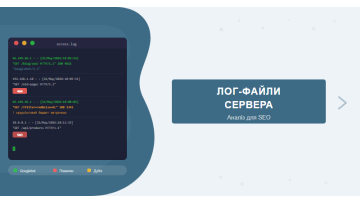
This provides a level of detail unavailable through GSC. Your Apache or Nginx access log contains every request with its User-Agent. Here is the analysis process:
- Export logs for the past 30 days (typically via cPanel, Plesk, or SSH).
- Filter for Googlebot requests:
grep "Googlebot" access.log - Group requests by URL pattern — count how many hits went to filters, products, categories, and static assets.
- Identify anomalies — URLs that Googlebot crawls 50+ times per month (a sign of constant re-crawling or soft 404s).
Recommended tools: Screaming Frog Log File Analyser (Windows), GoAccess (Linux/CLI), or Semrush Log File Analyzer.
Robots.txt — the fastest way to save budget
Robots.txt is the fastest budget-saving tool. Googlebot reads it on every visit and skips all disallowed URLs entirely. One caveat: blocked URLs can still appear in the index through external links — without noindex they will show as "blocked by robots" entries with no content, but they remain indexed.
Typical robots.txt blocks for e-commerce:
User-agent: *
# Filter parameters
Disallow: /*?*sort=
Disallow: /*?*color=
Disallow: /*?*brand=
Disallow: /*?*size=
# Session parameters
Disallow: /*?*session_id=
Disallow: /*?*PHPSESSID=
# UTM and advertising
Disallow: /*?*utm_
# Admin and account areas
Disallow: /admin/
Disallow: /account/
Disallow: /cart/
Disallow: /checkout/
Important: do not block via robots.txt any URLs that receive significant external backlinks. If an authoritative site links to a filter page, use noindex instead of Disallow — Google can still pass PageRank without crawling the content.
Validate your robots.txt using Google Search Console: GSC → Settings → robots.txt tester. It shows exactly which URLs are blocked for Googlebot versus other bots.
Canonical and noindex: precision control
Robots.txt works at the crawl level — the bot never fetches the page at all. Canonical and noindex operate at the next level: the bot visits the page but understands it should not be indexed or that it is a duplicate of the primary URL.
For more on canonical configuration rules and common mistakes, see our article on canonical tags.
Canonical — for duplicates and parameterised pages
Add a canonical tag to all parameterised pages pointing to the "clean" version:
<!-- On page /catalog/phones/?sort=price -->
<link rel="canonical" href="https://example.com/catalog/phones/" />
Canonical is the right choice when a parameterised page has genuine user value (e.g., a full brand-filtered category) but you do not want it competing with the main category page in search results.
Noindex — for thin content and utility pages
The meta tag <meta name="robots" content="noindex, follow"> tells Google to exclude the page from the index while still following its links. Use it for:
- Internal site search results (
/search/?q=phone) - Empty categories and tag archive pages
- Thank-you pages after form submissions (
/thank-you/) - Archived discontinued product pages that cannot be set to 404 for technical reasons
The difference: canonical says "this is a duplicate, the primary is over there"; noindex says "do not index this at all". For filter pages without backlinks — robots.txt or noindex. For duplicates with backlinks — canonical.
Table: site size vs recommended approach
| Site Size | Typical Daily Budget | Priority Actions | Critical Issues |
|---|---|---|---|
| Under 1,000 pages | Practically unlimited | Content quality, page speed | Budget is not a concern |
| 1,000–10,000 | 1,000–5,000 URLs/day | Canonical for duplicates, XML sitemap | Uncontrolled URL parameters |
| 10,000–50,000 | 2,000–15,000 URLs/day | Robots.txt for filters, server speed | Pagination, thin content |
| 50,000–200,000 | 10,000–50,000 URLs/day | Log analysis, section prioritisation | Duplicates, archived products, soft 404s |
| 200,000+ | 50,000+ URLs/day | Systematic crawl management, CDN, edge caching | Any of the above in combination |
If your site is ready for a technical SEO audit, crawl budget analysis is a mandatory part of the process. We audit log files, robots.txt, duplicate issues and pagination as part of a full SEO promotion strategy.
In Practice
A Ukrainian job board — 2.4 million active listings, with new ones posted every 15 minutes — came to us with a troubling baseline: Googlebot was crawling roughly 12,000 pages per day. Against a catalogue of 2.4 million job postings, that meant the vast majority of content was invisible to Google indefinitely.
GSC Crawl Stats confirmed it: average server response time sat at 2.3 seconds, daily crawl volume had not grown in four months, and only around 180,000 listing pages were in the index — under 8% of the live catalogue.
Server log analysis using Screaming Frog Log File Analyser identified the bottleneck: Googlebot was burning its entire daily quota on 800,000 parametric filter URLs — /jobs?city=kyiv&salary=30000&type=part-time and tens of thousands of similar combinations. After blocking all filter URL patterns in robots.txt, the budget shifted to actual job listing pages.
GSC showed daily crawl requests climb from 12,000 to 74,000. Indexed listings grew from 180,000 to 940,000 in 8 weeks — with no new backlinks and no content changes.
The core lesson for fast-turnover aggregators: if a job listing has a 3–5 day lifespan and Googlebot reaches it three weeks later, it is already expired at the moment of indexation. Closing filter URLs here delivers more than any link-building campaign ever could.
Frequently asked questions
What is crawl budget in SEO?
Crawl budget is the number of pages Googlebot is willing to crawl on your site within a given timeframe. It combines crawl rate limit (maximum crawl speed without overloading the server) and crawl demand (based on page popularity and update frequency).
When does crawl budget become a critical issue?
Crawl budget becomes critical for sites with 10,000+ pages: large e-commerce stores, news portals, and aggregators. For smaller sites under 1,000 pages, Google typically crawls everything without limitations.
How do I block URL parameters from being crawled?
Use Disallow directives in robots.txt for common parameter patterns (e.g., Disallow: /*?sort=). For more precise control, add a noindex meta tag or canonical tag to parameterised pages. The old GSC parameter settings tool is no longer available.
Where can I view crawl statistics for my site?
In Google Search Console: Settings (gear icon) → Crawl Stats. You will see daily request counts, average response size, and response time. For detailed analysis, check your server log files and filter requests by Googlebot User-Agent.
Not sure how much of your crawl budget is wasted?
We will run a technical site audit: review your log files, robots.txt, duplicate pages and pagination structure. You will get a concrete crawl budget optimisation plan.