Your shopping cart is empty!
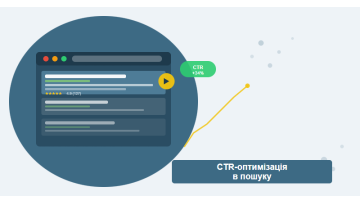
CTR optimization means improving snippet clickability without ranking changes. A well-crafted title significantly impacts CTR; rich results (star ratings, breadcrumbs) further increase snippet visibility. Note: FAQPage rich results are now limited to government and health sites since August 2023. Here's how to do it systematically.
Contents
- What CTR is and why it matters
- Title formulas for every search intent
- Emotional triggers in meta descriptions
- Numbers, brackets and questions in snippets
- Rich results: FAQ, Review, Breadcrumb
- A/B testing titles with GSC
- Technical aspects of CTR optimization
- Measuring results
- Frequently asked questions
What CTR is and why it matters
In SEO, CTR is the share of searchers who click your result after seeing it in the SERP. If 1,000 people see your listing and 100 click it, your CTR is 10%. Simple math — but it's a direct lever on traffic that doesn't require any ranking work.
Average organic CTR benchmarks by position:
| Position | Average CTR (desktop) | Average CTR (mobile) |
|---|---|---|
| 1 | 25–35% | 18–28% |
| 2 | 13–18% | 10–15% |
| 3 | 8–12% | 6–10% |
| 4–5 | 4–7% | 3–6% |
| 6–10 | 1–4% | 1–3% |
But these are averages, not destiny. We've seen pages at position 4 pulling 16–18% CTR while competitors sitting at position 1 managed only 10–11%. The difference had nothing to do with rankings — it was entirely in how the snippet was written.
CTR isn't just a traffic metric. Google uses clickability signals when evaluating page relevance. A page with an unusually high CTR relative to its position receives an additional quality signal from the algorithm.
The arithmetic is straightforward: a page with 6,000 monthly impressions at position 3 with a 7% CTR drives 420 clicks. Push that to 13% and you get 780 clicks from the exact same rankings — no new links, no technical overhaul, no waiting for positions to move.
In our work, a CTR audit is the first thing we run before recommending any link building campaign. It's not unusual to rewrite 10–15 titles and see measurable traffic gains within 3–4 weeks.
Title formulas for every search intent
The title tag is the single most important snippet element. It's what the eye lands on first and decides whether the searcher stops scrolling. There's no universal "best" formula — everything depends on the search intent behind the query.
Informational intent (I want to know)
The user wants an answer or wants to understand a topic. Formulas that consistently work here:
- Question format: "How to Do X? Complete Guide [2025]" — mirrors the query and promises thoroughness
- Promise format: "X Explained: What It Is, How It Works, and Why It Matters" — signals a full answer
- Number format: "7 Ways to Do X (Tested in Practice)" — specificity attracts clicks
- Pain + fix format: "Why X Isn't Working — and How to Fix It" — addresses the reader's frustration directly
For informational queries, avoid purely commercial framing like "Order X" or "Price of X" — it repels users who aren't ready to buy yet.
Navigational intent (I want to go)
The searcher is looking for a specific brand or site. Your title needs to clearly confirm this is the destination:
- "[Brand Name] — Official Website" — crystal clear
- "[Brand]: [Unique Value Proposition] — Official Page" — adds a differentiator
Transactional intent (I want to buy)
The user is ready to act — buy, order, sign up. Trust signals and specifics matter most here:
- Price or terms: "Buy X from $49 — Ships in 1–2 Days"
- Social proof: "X — 4,000+ Orders, Rated 4.9★"
- Guarantee: "Order X with 2-Year Warranty | Free Returns"
- Urgency: "X with Same-Day Delivery — Order by 2 PM"
Commercial investigation intent (I want to compare)
The searcher is evaluating options before buying. Top-performing formulas:
- "X vs Y: Detailed Comparison [Criteria, Side-by-Side Table]"
- "Top 10 X: An Honest Review with Pros and Cons"
- "Best X for [Segment]: How to Choose Without Regrets"
One rule that holds across all intents: lead with the keyword or place your strongest hook right after it. Google bolds query matches in titles — another good reason to front-load your keywords.
Title length limit: 55–60 characters for desktop, ~50 for mobile. Validate with a SERP Simulator or directly in GSC. Google sometimes rewrites titles it considers too long or misaligned with the query.
Emotional triggers in meta descriptions
Descriptions don't directly affect rankings — but they have a real impact on CTR. Think of the meta description as your 155–160 character ad copy. A weak description is wasted traffic, even with strong positions.
Five triggers that consistently improve CTR
After testing dozens of description variants across client sites, these are the patterns that deliver:
- Specific numbers: "We grow traffic by 45–70% in 4 months" beats "We grow traffic effectively" every time
- Urgency: "3 spots left for April" or "Free analysis until end of week"
- Social proof: "850+ projects across Ukraine — see real results"
- Pain resolution: "Stuck on page 2? We get you to top 5 — no spam, no penalties"
- Clear call to action: "Get a free audit and find out exactly where you're losing customers"
The AIDA framework for descriptions
The classic advertising formula translates well to the description format:
- A (Attention): open with your strongest fact or question in the first 40 characters
- I (Interest): introduce the detail that sets you apart from competing results
- D (Desire): show the outcome or benefit the user will get
- A (Action): close with a CTA — "Learn more," "Get started," "See results"
The first 50–60 characters of your description matter most on mobile, where the rest is often truncated. Put your strongest argument right at the start.
What to avoid in descriptions
Patterns that reliably suppress CTR:
- Keyword stuffing without meaning: "SEO optimization. SEO services. SEO website. SEO New York."
- Vague claims: "We provide high-quality services at competitive prices"
- No call to action and no specifics
- A description that merely repeats the title verbatim
- Going over 160 characters — Google truncates it, and the cut-off looks unprofessional
Numbers, brackets and questions in snippets
Three visual tactics that reliably lift CTR — no technical changes required, just smarter copy.
Numbers in title tags
Numbers promise structure and specificity. They break the visual monotony of text-heavy SERPs. Observations from our testing:
- Odd numbers (5, 7, 9) tend to outperform even numbers — they read as less "rounded" and more realistic
- Numbers at the start of the title (first or second word) generally outperform numbers at the end
- Specific figures outperform rounded ones: "increased CTR by 34%" beats "increased CTR by about a third"
- A year in brackets [2025] signals freshness — but Google may substitute its own year in the displayed title
Brackets and square brackets
Brackets add a "secondary voice" to the title — a qualifier, clarification, or aside. They stand out visually and lift CTR by 7–15% on average:
- "SEO for E-commerce [Complete Guide 2025]" — signals format and depth
- "How to Write a Title Tag [Without Getting It Wrong]" — informal tone builds rapport
- "Google SEO Explained [Plain English]" — lowers the barrier for beginners
- "Site Audit [Free]" — brackets highlight the bonus
Question-format titles
Questions in the title work well for informational and commercial investigation queries — they mirror the searcher's own phrasing:
- "Why Isn't Your Site Ranking? 8 Reasons and How to Fix Them"
- "SEO vs PPC: Which Is Better? An Honest Comparison"
- "How Much Does SEO Cost? Real Numbers, No Fluff"
Don't overuse questions for transactional queries — "Where to Buy a Laptop?" reads weaker than "Buy Laptop from $499 — 300+ Models with Warranty."
Special characters and emoji
Google occasionally renders emoji in snippets, but display is inconsistent. What reliably renders: the pipe symbol "|" for separating title and brand, an em dash "—", and "★" in descriptions for star ratings. More unusual characters often get stripped or replaced by Google.
Rich results: FAQ, Review, Breadcrumb
Rich results are enhanced snippets that take up more SERP real estate and include additional visual elements. They improve CTR even at the same position, simply by occupying more screen space and providing direct answers to user questions.
FAQ rich results
Until August 2023, FAQPage structured data expanded the snippet with a Q&A block. Since August 2023, Google significantly limited FAQPage rich results — they now appear mainly for authoritative government and health sites. Keeping the markup is still useful for AI Overviews. This doubles the visible footprint of your result on the page.
Requirements for FAQ rich results to appear:
- Valid JSON-LD with type
FAQPageand a populatedmainEntityarray - Questions and answers must actually exist as visible text on the page
- Keep answers under 300 characters in markup — Google truncates longer ones
- The page should meet E-E-A-T standards for the topic
We recommend 3–4 questions in the FAQ block: enough to claim space in the SERP without diluting the page's topical focus.
Review / Rating rich results
Star ratings in the SERP are one of the most powerful CTR drivers available. Research from Backlinko shows snippets with rating stars receive 15–30% more clicks than equivalent results without stars.
Where it applies:
- Product and service pages (
Productschema withAggregateRating) - Reviews and editorial assessments (
Review) - Recipes, courses, local business listings
A critical warning: Google actively monitors for rating manipulation. Never add star markup to pages without genuine reviews — this violates Google's guidelines and risks a manual action penalty.
Breadcrumb rich results
Breadcrumbs in the SERP replace long, opaque URLs with a clean, readable path. They signal site structure and increase trust. CTR improvements are common just from making the URL more legible to searchers.
Implement via JSON-LD with type BreadcrumbList. We also recommend adding visible breadcrumb HTML to the page itself — Google trusts structured data more when it's corroborated by actual page content.
Rich results CTR impact comparison
| Rich result type | Average CTR lift | Implementation difficulty |
|---|---|---|
| FAQ (expanded questions) | +20–40% | Low |
| Review stars | +15–30% | Medium |
| Breadcrumb | +5–12% | Low |
| Video thumbnail | +30–50% | High |
| Sitelinks | +15–25% | Not directly controllable |
| Image snippet | +10–20% | Medium |
A/B testing titles with GSC
Google Search Console provides a free way to monitor CTR changes over time. While it isn't a dedicated A/B testing tool, it enables systematic sequential testing of title variants that yields actionable data.
How to structure the test
The process step by step:
- Choose pages to test. Target pages with at least 200–500 monthly impressions — lower-volume pages produce too much statistical noise to draw reliable conclusions.
- Record baseline metrics. GSC → Performance → filter by URL → note the CTR, average position, and impressions over the last 28 days.
- Make the change. Update the title and/or description. Critically: change only one element at a time. If you change both simultaneously, you can't determine what drove the difference.
- Wait for re-indexing. Updated meta tags are typically re-crawled within 2–7 days, though Google may continue showing the old version for a while longer.
- Collect data for 2–4 weeks. Seasonal swings, algorithm fluctuations, and technical events can skew results if the test window is too short.
- Compare results. Look at CTR relative to position: if the position held steady but CTR rose, your new title is performing better.
Analytical pitfalls to avoid
Lessons learned from running dozens of these tests:
- Don't compare across seasons. CTR for "swimwear" in December vs June is not comparable data.
- Account for position changes. If your page dropped from position 2 to 5 during the test, CTR will fall regardless of title quality.
- Check GSC with a delay. Data in GSC lags by 2–4 days. Don't draw conclusions in the first week.
- Track tests systematically. Maintain a spreadsheet: URL, old title, new title, change date, CTR before/after.
If Google is rewriting your title in the SERP with its own version, that's a signal your title isn't closely enough aligned with the query intent. Revisit your keyword targeting and make the title more precise. Full guidance in Google's official documentation on title links.
Tools for title A/B testing
Beyond GSC, there are dedicated solutions for more rigorous testing:
- SearchPilot — purpose-built SEO testing platform, popular with enterprise sites
- Google Optimize / VWO — page-level testing with more control, requires technical setup
- Ranktracker, SE Ranking — track CTR changes alongside rank movements over time
Technical aspects of CTR optimization
Beyond the copy itself, several technical factors shape how Google constructs your result in the SERP.
When Google rewrites your title
Google replaces your title with its own version in these scenarios:
- The title doesn't match the page content (too clickbait-heavy)
- The title is too long — Google truncates it and may generate a shorter substitute
- The title is just the brand name with no descriptive content
- The H1 on the page significantly differs from the title — Google may treat H1 as the "more accurate" label
The fix: align your title, H1, and primary page content. They should describe the same thing coherently — with different levels of detail but without contradictions. For a deeper look at this, see our guide on meta tag optimization for SEO.
URL impact on CTR
The URL is the third visible snippet element and contributes to trust:
- Short URLs (under 50 characters) outperform long ones in click rates
- A keyword in the URL can lift CTR through bold formatting on the matched term
- Parameter-heavy URLs like
?id=123456look unprofessional — avoid them for indexable pages - Non-Latin characters in URLs get percent-encoded and display as gibberish — use transliterated slugs for multilingual sites
Publication date in the snippet
Google sometimes shows the publication or modification date in the snippet. For freshness-sensitive topics (news, reviews, technical guides), a recent date lifts CTR. For evergreen service pages, a visible date can hurt — searchers see "2019" and assume the information is stale.
The solution: regularly update the content of important pages and reflect real updates in the dateModified markup. Don't update the date just for the sake of it — Google is good at detecting cosmetic freshness signals.
Measuring results
CTR optimization without measurement is guesswork. Here's what to track and how.
Key metrics in GSC
A weekly GSC review should cover:
- CTR by page — filter your top 50 pages by impressions and benchmark each against the site average
- CTR by query — identify high-impression, low-CTR queries; these are your lowest-hanging fruit
- CTR trend — compare the current month to the previous month and to the same month last year
Finding pages with underperforming CTR
A systematic process for surfacing pages that need attention:
- GSC → Performance → Pages tab
- Add columns: CTR, Impressions, Clicks, Average Position
- Sort by Impressions (highest to lowest)
- Flag pages with 500+ impressions and CTR below 5%
- These pages are your CTR optimization priority
Accurate Google Search Console setup is critical for reliable CTR tracking. Make sure all URL variants are verified and consolidated under a single property.
CTR benchmarks by industry
CTR varies considerably by niche and query type. Use these as reference points:
| Industry | Strong CTR (positions 1–3) | Average CTR (positions 4–7) |
|---|---|---|
| E-commerce / products | 20–30% | 5–10% |
| B2B services | 15–25% | 4–8% |
| Informational content | 25–40% | 8–15% |
| Local business | 18–28% | 5–10% |
| News | 30–50% | 10–20% |
If your CTR is significantly below the industry benchmark, snippet optimization is the priority. If CTR is healthy but overall traffic is low, the bottleneck is rankings — and that's where professional SEO promotion comes in.
CTR and rankings: the relationship
The question "Does CTR affect rankings?" has no clean official answer from Google. But multiple independent studies (Moz, Semrush, SparkToro) have found some correlation between above-average CTR and subsequent ranking improvements, though Google does not officially confirm this as a ranking factor. Our own project data is consistent with this: pages that significantly outperform their positional CTR average tend to drift upward over the following months.
The mechanism is likely indirect: higher CTR → more sessions → stronger behavioral signals → positive input for Google's quality assessment.
Frequently asked questions
What is CTR in search and why does it matter for SEO?
CTR (Click-Through Rate) is the percentage of users who click your result after seeing it in the SERP. The average CTR at position 1 is 25–35%. Improving CTR without changing rankings directly increases traffic and sends Google a positive relevance signal about the page.
Which snippet elements have the biggest impact on CTR?
The title tag drives the majority of snippet clickability effect. Meta description contributes 20–25%, URL structure adds 5–10%. Rich results — star ratings, FAQ expansions, breadcrumbs — can add a further 15–30% on top.
How do you A/B test title tags using Google Search Console?
Record baseline CTR and impressions in GSC. Update the title and/or description, wait 2–4 weeks for data to accumulate, then compare against the baseline — accounting for any position changes. Change only one element at a time to isolate what actually drove the difference.
How long does it take to see results from CTR optimization?
New snippets are typically indexed within 3–7 days. For a statistically meaningful conclusion, allow 2–4 weeks and at least 100–200 impressions. For low-volume pages, give it up to 2 months before judging the outcome.
Want to increase your site's CTR?
SEO-Factory audits your snippet portfolio and optimizes title tags and descriptions with measurable results tracking. The first step — a free analysis of your current CTR performance.
Get a free CTR audit