Your shopping cart is empty!
Disallow in robots.txt blocks crawling, but does not guarantee exclusion from the index. Noindex prevents indexation, but does not stop the crawler. Confusing these two mechanisms is one of the most common causes of ranking loss.
Contents
- Crawling and Indexing — Two Separate Processes
- robots.txt: Disallow, Allow and Directive Syntax
- The Noindex Tag and Meta Robots: Where and How to Use
- Disallow vs Noindex — Why They Are Not Interchangeable
- Top 7 Indexation Mistakes We See in Client Sites
- Checking via Google Search Console: URL Inspection
- Frequently Asked Questions
Crawling and Indexing — Two Separate Processes
Most website owners use "crawling" and "indexing" as synonyms. In practice they are two sequential but fundamentally different steps — and mistakes happen precisely because these concepts get blurred together.
Crawling is when Googlebot (or another search engine bot) downloads the HTML of a page. During this step the bot reads links, CSS, JavaScript, and robots.txt. The robots.txt file governs crawling: the Disallow directive tells the bot "do not download this URL".
Indexing is the next step: analysing the downloaded content and adding the page to the search index. The <meta name="robots" content="noindex"> tag or the X-Robots-Tag: noindex HTTP header governs this step specifically. If the page is blocked via Disallow, the bot never downloads it — and therefore never reads the noindex directive.
The practical consequence of this separation is important. There are three possible states for any page:
- Open to crawling and open to indexing — a normal page that Google reads and adds to search results.
- Open to crawling but closed to indexing (noindex) — Google visits the page, reads the noindex directive and excludes it from search results. Crawl budget is still consumed.
- Closed to crawling via Disallow — Google does not download the page at all. But if external sites link to the URL or it appears in the Sitemap, Google may index the URL without any content — sometimes called "crawl-free indexing".
The fourth state — "blocked via Disallow and noindex simultaneously" — is technically possible but self-defeating. Google cannot read noindex if Disallow prevents the crawl. This is exactly where the most damaging mistakes occur.
In our practice the most common mistake is a Disallow applied to an entire language section — /ua/ or /ru/. The client believes they have "hidden technical pages", while in reality they have blocked an entire language version of the site from Google.
robots.txt: Disallow, Allow and Directive Syntax
The robots.txt file is a plain-text file located at the root of the site: https://site.ua/robots.txt. It is read by crawlers before they begin visiting pages. Here is the core syntax that comes up in every audit.
Key directives:
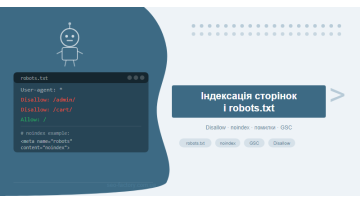
User-agent: *— the rule applies to all bots. You can target a specific bot:User-agent: Googlebot.Disallow: /path/— forbid crawling of the specified path and everything beneath it.Allow: /path/— permit crawling of a specific path even if the parent directory is blocked via Disallow.Sitemap: https://site.ua/sitemap.xml— declare the sitemap location. Does not affect crawling, but helps Google discover all URLs.Crawl-delay: 5— delay between requests in seconds. Google does not officially support this directive; use GSC crawl rate settings instead.
Syntax nuances that catch people out:
| Rule | What it blocks | What remains accessible |
|---|---|---|
Disallow: /admin/ |
/admin/ and all subdirectories | /administrator/, /admin-tools/ — not blocked! |
Disallow: / |
The entire website | Nothing — a catastrophic mistake |
Disallow: /*.php$ |
All URLs ending in .php | /page.php?id=1 also blocked ($ anchors to URL end) |
Disallow: /*?sort= |
All URLs containing ?sort= anywhere | /catalog/ without parameters |
Allow: /admin/login.htmlDisallow: /admin/ |
/admin/ except /admin/login.html | Login page stays accessible |
Disallow: (empty) |
Nothing — an empty Disallow means "allow everything" | Entire site is open |
Regular expressions in robots.txt are limited: only * (any sequence of characters) and $ (end of URL string) are supported. Full regex is not supported by Google.
Practical tip: Always validate robots.txt through Google Search Console (Indexing — robots.txt) or the official Google robots.txt tester. A syntax error can silently block entire sections of your site with no warnings in GSC.
We have reviewed dozens of robots.txt files and found one pattern that recurs constantly: a developer sets Disallow: / during the build phase to prevent premature indexing, then forgets to remove it after launch. The site can live for months with zero indexing — and GSC shows no errors because the bot simply never enters.
The Noindex Tag and Meta Robots: Where and How to Use
The noindex directive can be delivered in several ways. Each has specific use cases — and specific failure modes.
1. Meta tag in the <head> of the page:
<meta name="robots" content="noindex, follow">The most widely used method. The tag is read after Googlebot has downloaded and rendered the HTML. If the page is blocked via Disallow, the tag is never read.
2. X-Robots-Tag HTTP header:
X-Robots-Tag: noindexDelivered in the server's HTTP response. The only viable approach for non-HTML resources: PDFs, images, Word documents. To remove a PDF catalogue from the index, you must use either X-Robots-Tag or a robots.txt Disallow for the PDF directory.
3. Combining directives in the content attribute:
| Directive | Meaning | When to use |
|---|---|---|
noindex, follow |
Do not index, but follow links | Pagination pages, technical pages with useful links |
noindex, nofollow |
Do not index and do not follow links | Login pages, cart, order confirmation pages |
index, follow |
Default behaviour | Rarely needs to be set explicitly |
nosnippet |
Do not show a snippet in results | Pages with confidential text |
noimageindex |
Do not index images on the page | Pages with licensed photography |
A common CMS mistake: WordPress sets noindex on all pages by default when the site is in maintenance mode, or when "Discourage search engines from indexing this site" is checked in Reading Settings. After launch this setting is frequently left enabled — and the site quietly serves noindex to every page for months or even years.
Disallow vs Noindex — Why They Are Not Interchangeable
This is a conceptual mistake that costs rankings. Let us go through each incorrect scenario in detail.
Scenario 1: Disallow only, no noindex
Googlebot does not download the page. But if there is even one external link to it, or it appears in the Sitemap, Google knows the URL exists. The search engine can add the URL to the index without content — the listing shows up in the SERP but has no snippet. A classic example: /cart/, /checkout/, /thank-you/ pages that surface in results because a scraper or affiliate site has linked to them.
Scenario 2: Noindex only, no Disallow
Googlebot regularly visits the page, reads the noindex directive and keeps it out of the index. Technically correct — but crawl budget is spent on pages with no SEO value. For small sites (under 1,000 pages) this is marginal. For large e-commerce stores with hundreds of thousands of technical URLs, this is a significant crawl budget drain.
Scenario 3: Disallow and noindex simultaneously
The worst outcome. The page is blocked from crawling — Googlebot never downloads the HTML, so noindex is never read. Google may know the URL exists (via external links) but has no information about the noindex directive. If someone links to that URL, it can appear in the index without content.
Choosing the right approach depends on your goal:
- Want to conserve crawl budget and the page has no external links → Disallow is sufficient.
- Need a guaranteed exclusion from search results → noindex (without Disallow), keep crawling open.
- Technical pages with no external links, budget matters → Disallow is enough.
- Pages that may attract external links at any point → noindex only, never Disallow.
Core principle: if a page must be guaranteed out of search results, the only reliable method is noindex with crawling left open. Disallow manages crawl budget — it is not a tool for controlling what appears in the SERP.
Top 7 Indexation Mistakes We See in Client Sites
Years of audits have produced a consistent list of errors. Here are the seven most damaging ones — with real examples and fixes.
Mistake 1: Disallow: / left after development
Developers block the entire site during the build phase to prevent premature indexing of unfinished content. After launch this rule gets forgotten. The site can run for months with zero indexation. GSC shows "Excluded: Blocked by robots.txt" for every URL.
Mistake 2: Disallow on a language directory
In our practice the single most common error is a Disallow applied to an entire language section — /ua/ or /ru/. The owner thinks they are hiding "technical" pages; in reality they have removed an entire language version from Google's index. Organic traffic for that language collapses within weeks of the next full crawl.
Mistake 3: CSS and JavaScript blocked via Disallow
Older "optimisation" guides advised blocking /wp-content/plugins/ and /wp-content/themes/ via robots.txt. The result: Googlebot cannot render the page and sees only a bare HTML skeleton. Without proper rendering, Google treats the page as thin content and ranks it accordingly — particularly harmful for JS-heavy frameworks where most content is delivered after rendering.
Mistake 4: One client in e-commerce blocked the entire /products/ folder and lost...
A real case from our audit history. An appliance retailer had over 3,000 product pages. A new developer "cleaned up" the robots.txt and added Disallow: /products/, mistaking it for an internal tool directory. Organic traffic fell by 78% over six weeks. GSC showed every product page with status "Excluded: Blocked by robots.txt". Recovery after fixing the robots.txt took another three months.
Mistake 5: Noindex on pagination pages while links remain intact
Pages like /catalog/?page=2, /catalog/?page=3 get a noindex tag to "prevent duplicate content". But internal linking and external references continue passing link equity to these pages — equity that simply evaporates, because noindex prevents it from being redistributed.
Mistake 6: Noindex on a page with backlinks
If a page has acquired external links and then receives a noindex tag (instead of a 301 redirect to the current version), all that link equity disappears. The correct fix is a 301 redirect to the authoritative, indexed page.
Mistake 7: robots.txt not re-checked after CMS updates
Plugin updates, hosting migrations, URL structure changes — all of these can automatically rewrite robots.txt. We have reviewed dozens of robots.txt files and repeatedly found the same scenario: a Yoast SEO update restores robots.txt to its default template, wiping every custom rule the SEO team had configured. Yoast, Rank Math and various OpenCart modules are the most frequent culprits.
A thorough technical SEO audit always includes a robots.txt review alongside a diff against the previous version stored in version control or an archive.
Crawl Budget and Practical Indexation Management
Crawl budget is the number of pages Googlebot is willing to crawl on your site within a given time window. For sites under 10,000 pages it rarely becomes a bottleneck. For e-commerce stores with hundreds of thousands of product URLs, however, your robots.txt configuration directly determines how quickly new pages enter the index.
Google calculates crawl budget from two components:
- Crawl rate limit — the maximum request frequency Googlebot considers safe for your server. Adjustable in GSC under Settings → Crawl rate.
- Crawl demand — how popular Google considers the site to be. More external links and a higher domain authority mean more crawl budget allocated.
How robots.txt and noindex affect budget consumption:
| Page state | Crawl budget spent | SEO effect |
|---|---|---|
| Open, indexed | Yes — standard crawl | Normal |
| Open, noindex | Yes — bot visits and reads noindex | Budget wasted on non-indexable pages |
| Disallow in robots.txt | No — bot never makes the request | Saves budget, but no guarantee of exclusion from index |
| Disallow + listed in Sitemap | No — but Google sees a contradiction | GSC will flag "Blocked by robots.txt" warning |
| 404 or 410 response | One request, then bot stops visiting | Cleanest way to remove an unwanted URL permanently |
Practical rule for large sites: technical pages — cart, login, account dashboard, CMS utility URLs — are best closed via Disallow. This eliminates wasted crawl requests entirely. But always verify first that no external links point to these URLs, using Ahrefs or GSC Links → External links.
Content pages carrying a noindex tag — such as filtered catalogue pages that generate parameter-based URLs — are better handled with a canonical pointing to the base URL. This simultaneously prevents duplicate indexation and avoids spending budget crawling hundreds of parameter variants.
One of our clients — a property aggregator with ~200,000 URLs — had all search result pages with parameters left open in robots.txt: /search?type=apartment&city=kyiv&rooms=2&price=50000 and so on. Each parameter combination produced a unique URL, and there were over 80,000 such combinations. Googlebot spent its entire crawl budget on these pages and rarely reached new listings. After adding Disallow: /search and setting canonical tags on search result pages, the crawl speed for new listings increased fourfold according to GSC data.
An often-overlooked tool is the XML Sitemap as a priority queue. Google does not guarantee crawl order based on Sitemap position, but Sitemap-listed pages get priority at initial indexation. This means the Sitemap should contain only pages open to indexation — no URLs with noindex or Disallow. Blocked URLs appearing in the Sitemap create a common contradiction that GSC flags as a warning under Indexing → Pages.
Checking via Google Search Console: URL Inspection
Google Search Console is the primary tool for verifying the real indexation status of pages. Here is how to read the data correctly and what each status means.
URL Inspection tool:
- Enter the URL in the search bar at the top of GSC.
- GSC will show either "URL is on Google" (indexed) or a specific reason for exclusion.
- Click "Test live URL" to check the current live state, not a cached version.
- The "Crawl" tab shows when Googlebot last visited the page and whether any redirects are present.
The most important statuses in Indexing → Pages:
| GSC Status | Meaning | What to do |
|---|---|---|
| Indexed, not submitted in sitemap | Page is indexed but missing from the Sitemap | Add to Sitemap or verify whether this page should be indexed at all |
| Excluded by robots.txt | Blocked via Disallow | Check robots.txt — is this intentional? |
| Excluded: noindex tag | A noindex directive is present | Verify intent. If unintentional, remove the noindex tag. |
| Crawled, currently not indexed | Google crawled it but chose not to index it | Review content quality — thin content, unhelpful content, or rendering issues |
| Discovered, currently not indexed | Google knows about the URL but has not yet crawled it | Review crawl budget and internal linking depth |
| Duplicate without user-selected canonical | Google found a duplicate and chose its own canonical version | Set an explicit canonical tag — Google may have chosen the wrong version |
How to check robots.txt via GSC:
- Go to Settings → robots.txt in GSC.
- GSC displays the current file content and highlights syntax errors.
- Use the built-in tester: enter a URL and select a User-agent — the tool will show whether the URL is blocked.
Ongoing monitoring: configure GSC email alerts (Settings → Email preferences) to notify you of a sudden spike in excluded pages. If "Excluded: Blocked by robots.txt" jumps sharply — that is a red flag indicating robots.txt has been overwritten, typically by a CMS update.
For a thorough review of indexation and crawl health, our guide to Google Search Console covers every relevant report in detail.
The official Google documentation on robots.txt and the crawling mechanism is available in the Search Central documentation.
Frequently Asked Questions
What happens if a page is blocked via Disallow but has no noindex tag?
Googlebot won't be able to read the page, but if external sites link to it or it appears in the Sitemap, Google may add the URL to the index without content — known as indexing without crawling. To guarantee exclusion from search results, you need a noindex directive that the crawler can actually access and read.
Can Disallow and noindex be used on the same page?
These are conflicting instructions. If a page is blocked via Disallow, Googlebot will not read the noindex tag. Google recommends: either allow crawling and set noindex, or use Disallow without noindex — but then the URL can still end up in the index via external links.
How long does it take Google to remove a page from the index after adding noindex?
After the next crawl — typically a few days to 4 weeks. You can speed up the process via Google Search Console: URL Inspection tool — Request Indexing, which prompts Google to re-crawl the page and process the noindex directive sooner.
Does robots.txt affect the ranking of pages that remain open to crawling?
Not directly. Robots.txt only controls crawl access. However, if important resources like CSS, JavaScript, or images are blocked via Disallow, Googlebot cannot fully render the page, which can degrade indexing quality and hurt rankings.
Indexation issues silently cost you traffic
A mis-configured robots.txt or an accidental noindex on key pages is the quiet kind of damage — rankings erode gradually with no loud alerts. We audit robots.txt, indexation status and crawl budget as part of our technical SEO audit, delivering a prioritised action list of specific fixes.
SEO promotion Get a consultation