Your shopping cart is empty!
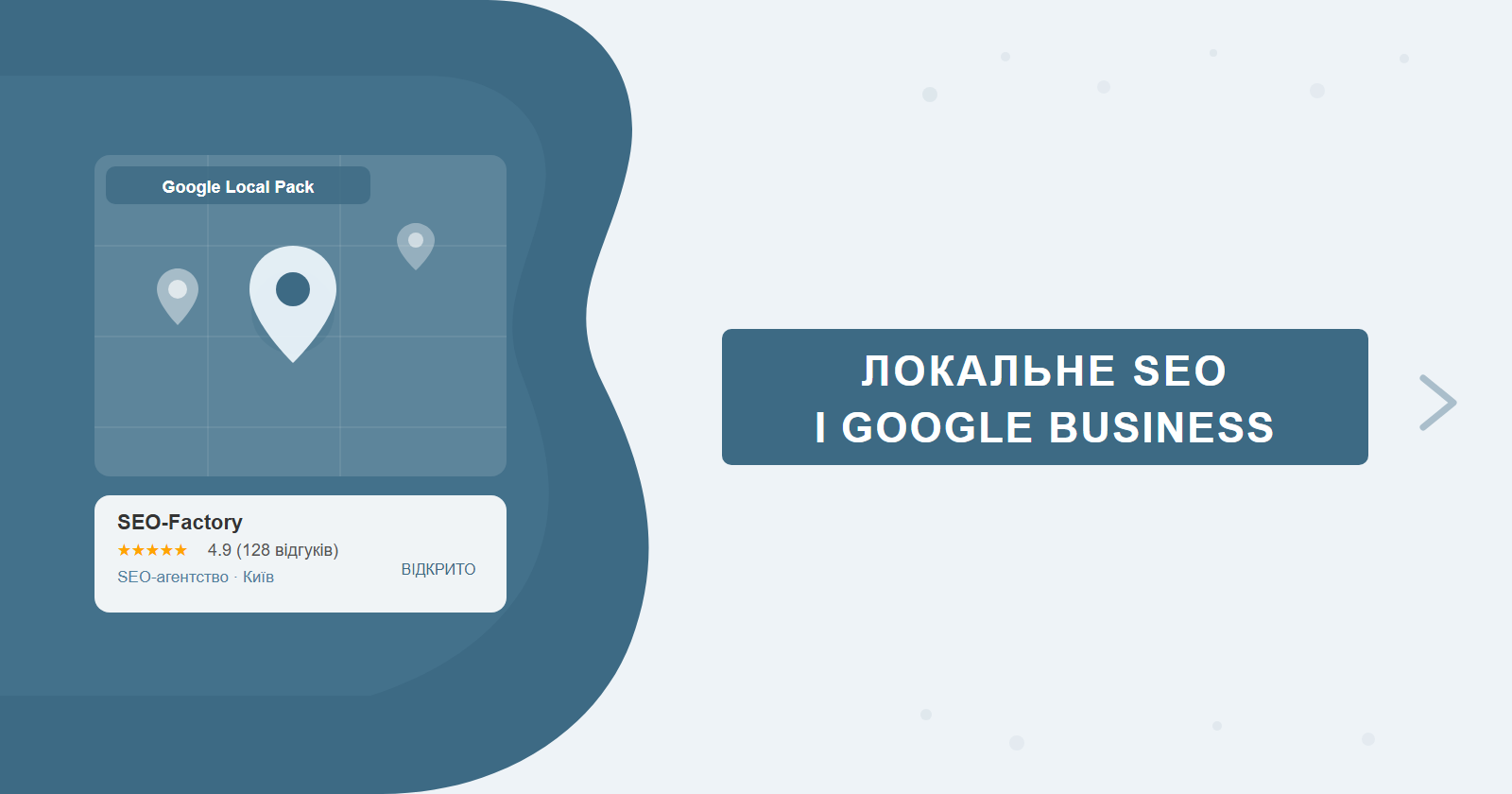
"Dentist near me", "coffee shop downtown", "emergency plumber Chicago" — these are local queries. If your business serves customers in a specific area, local SEO and a well-optimized Google Business Profile deliver traffic faster and at lower cost than traditional organic search promotion.
This guide covers GBP setup and optimization, local keyword strategy, Schema markup, competitor analysis, link building, and how to measure everything. For a comprehensive approach, the SEO-Factory team handles website promotion including for local businesses.
Contents
- What local SEO is and who it's for
- Google Business Profile: setup and optimisation
- Google Posts and GBP features
- NAP consistency and local directories
- Local keywords and website content
- Reviews: how to get them and how to respond
- Competitor analysis in local search
- Schema.org for local businesses
- Local link building
- Tracking and analytics for local SEO
- Local search ranking factors
What Local SEO Is and Who It's For
Local SEO is the process of optimising for geographically specific queries. These searches produce a different layout: at the very top, Google shows the "Local Pack" — a map block with three nearby businesses. Getting into that pack is the primary goal.
Local SEO matters for any business that serves customers at a specific location: restaurants, clinics, law firms, repair shops, retail stores, real estate agencies. Even online businesses without a physical address can leverage local strategies if they're tied to a specific region or city.
Google Business Profile: Setup and Optimisation
Google Business Profile (GBP) is Google's free tool for managing a company's presence in search and on Maps. Without it, getting into the Local Pack is practically impossible. Setup takes 30 minutes; smart optimisation takes weeks of consistent work.
Basic setup steps
- Business name — the exact official name. Do not add keywords to the name (violates Google's guidelines, risks suspension).
- Category — choose the primary category as precisely as possible. For additional services — use secondary categories.
- Address and service area — for businesses with a physical location — exact address. For service-area businesses (home visits, delivery) — set a service area without showing an address.
- Phone and website — real and current. The phone number must match the one on your website.
- Business hours — accurate and updated, including public holidays.
- Business description — 750 characters. The first 250 are most critical as they show without clicking "more". Include key services and location.
Photos and video: profiles with photos receive 42% more direction requests and 35% more website clicks, according to Google Business Profile Help. Add: exterior, interior, team, products/services — minimum 10 photos.
Google Posts and GBP Features
Google Posts are mini-publications that appear directly in your GBP profile in search results and on Maps. Most businesses ignore this feature — which is a mistake, because posts boost profile engagement and signal activity to Google.
Post types
- What's New — company news, useful content, updates. Live for 7 days, then archived. Good for regular content.
- Event — event announcement with start and end dates. Stays visible until the event ends.
- Offer — promotions and discounts with an optional promo code. Active for the duration of the offer.
- Product — individual product or service with price and photo. Creates a mini-catalog in your profile.
Optimal frequency: 1–2 posts per week. What to post: new service announcements, seasonal offers, answers to common customer questions, company news (new location, menu update), practical tips related to your industry.
Q&A in GBP: don't leave it empty
The Q&A section in GBP is open to anyone — customers can ask questions and other users can answer. The problem: if the profile owner stays silent, competitors or bad actors can provide inaccurate answers. Strategy: proactively add 5–10 frequently asked questions and answer them yourself as the business owner. "Where do you park?", "Do you take card payments?", "What's the typical cost?" — addressing these upfront removes objections before the customer even contacts you.
Photo Insights and profile attributes
In GBP Insights, you'll find photo data: how many views your images receive compared to competitors in your category. If competitors are outperforming you — add fresh photos with relevant descriptions. Profile attributes let you specify: accessibility for people with disabilities, payment methods, Wi-Fi, kids' menu, parking, and more. These details influence customer decisions and determine whether your profile appears in filtered searches ("restaurant with Wi-Fi", "family-friendly café").
A restaurant added the "kids' menu" attribute and saw +23% more GBP-driven visits within two weeks — parents were specifically searching for that, and the profile finally started appearing in the relevant filter results.
NAP Consistency and Local Directories
NAP stands for Name, Address, Phone. Consistency means your NAP data must be identical everywhere on the web — on your site, in GBP, in directories, on maps. Discrepancies confuse Google and reduce authority.
Key directories to list your business:
- Google Business Profile (primary)
- Apple Maps Connect
- OpenStreetMap
- Yelp
- Industry-specific directories for your niche (medical, legal, real estate)
- Local chamber of commerce or business association directories
Check your NAP consistency: search your business name and address on Google. If you find discrepancies — correct them at each source. Tools for bulk checking: Whitespark Local Citation Finder or BrightLocal.
Local Keywords and Website Content
GBP is just one layer. For competitive local niches, you also need on-site SEO with local content targeting specific geographic queries.
Local keyword formula
Service + City/District. Examples: "dentist downtown Chicago", "car rental airport Seattle", "emergency plumber Brooklyn". Separately target "near me" queries — they grow year-on-year and are resolved via geolocation, so your physical location and GBP accuracy matter more than adding "near me" to your content.
Location landing pages
If you have multiple branches — each needs its own page on the website with its own address, phone number, description, and embedded Google Maps. Never duplicate content across location pages — each needs a unique description, locally relevant information, and ideally photos of that specific location.
| Local SEO page element | Required | Detail |
|---|---|---|
| H1 with city/district | Yes | "Dentistry in Downtown Seattle" |
| NAP on the page | Yes | As text, not only in an image |
| Embedded Google Maps | Recommended | iframe pointing to your business location |
| Schema.org LocalBusiness | Recommended | JSON-LD with address, phone, and coordinates |
| Reviews on the page | Recommended | Real customer reviews with names |
Reviews: How to Get Them and How to Respond
Reviews are one of the strongest signals in local ranking. Volume, average rating, and the recency of new reviews all affect Local Pack position.
How to get reviews
- Ask customers directly after providing the service. Most won't leave a review unprompted — but will if asked at the right moment.
- Send a GBP review link via SMS or email after a purchase or visit.
- Add a QR code linking to the review form at the physical location (counter, receipt, packaging).
How to respond to reviews
Respond to all reviews — positive and negative. For negative reviews — no emotion, just specifics: "Thank you for the feedback. We've looked into this — [fact]. We'd be happy to make it right...". Responses signal profile activity to Google.
Don't buy fake reviews. Google detects and removes them, and the profile risks a penalty or suspension. A genuine review from a real customer is worth far more — and there's no shortcut that doesn't carry risk.
Competitor Analysis in Local Search
Before optimizing your own profile, it's worth understanding why competitors are already in the Local Pack. Analysis reveals gaps you can fill faster than building authority from scratch.
How to analyze Local Pack competitors
Search your main keyword ("dentist [city]", "phone repair [neighborhood]"). Look at the three businesses in the map block:
- Review count and rating: what's their average score? How many reviews? Are they actively getting new ones?
- Profile completeness: do they have photos, posts, Q&A, all attributes? Are primary and secondary categories set?
- Activity: when was the last post? Do they respond to reviews?
- Photo volume: how many photos have they uploaded, and what is the quality? If a competitor has 90 photos and you have 15, that's an immediate action item.
- Posting frequency: how regularly do they publish GBP posts? Profiles with consistent weekly posts signal sustained engagement.
Tools for local competitor research
BrightLocal lets you view the Local Pack for any query and location, compare competitor profiles side-by-side, and track ranking changes over time. The Grid Rank Tracker feature shows how your business ranks across a heat map of nearby points in your city — revealing exactly where your visibility drops off.
Semrush Local analyses local search results, aggregates reviews across platforms, checks NAP consistency, and surfaces competitors' Local Pack keywords. Especially useful for agencies and multi-location businesses.
Whitespark Local Citation Finder
A tool for finding directories where competitors are listed but you aren't. The approach: enter a competitor's URL — get a list of their citations (NAP mentions). Directories where they appear but you don't are your first priority for new listings.
Competitor backlink analysis
Use Ahrefs or Semrush to check which sites link to your competitors. Common sources: local press, business associations, city venue directories, industry portals. Identify the most relevant ones and pursue similar links for your own site.
Category and service gaps
If a competitor listed the primary category "dentistry" but didn't add "pediatric dentistry" as a secondary — and you offer that service — add that category. This gives you an advantage on narrow queries where the competitor doesn't appear.
Schema.org for Local Businesses
LocalBusiness structured markup helps Google understand your business details and increases the chance of appearing in rich results. Implemented via JSON-LD in <head> or before </body>.
Full LocalBusiness JSON-LD example
A complete, minimal-sufficient markup block for a dental clinic:
<script type="application/ld+json">
{
  "@context": "https://schema.org",
  "@type": "Dentist",
  "name": "Smile Dental Clinic",
  "url": "https://example.com/downtown/",
  "telephone": "+14155551234",
  "address": {
    "@type": "PostalAddress",
    "streetAddress": "123 Main Street",
    "addressLocality": "Chicago",
    "addressRegion": "IL",
    "postalCode": "60601",
    "addressCountry": "US"
  },
  "geo": {
    "@type": "GeoCoordinates",
    "latitude": 41.8781,
    "longitude": -87.6298
  },
  "openingHoursSpecification": [
    {
      "@type": "OpeningHoursSpecification",
      "dayOfWeek": ["Monday","Tuesday","Wednesday","Thursday","Friday"],
      "opens": "09:00",
      "closes": "18:00"
    },
    {
      "@type": "OpeningHoursSpecification",
      "dayOfWeek": "Saturday",
      "opens": "10:00",
      "closes": "14:00"
    }
  ],
  "image": "https://example.com/images/clinic-front.jpg",
  "priceRange": "$$"
}
</script>
Key fields and their purpose
| Field | Description | Example |
|---|---|---|
| @type | Business type — refines LocalBusiness | "Dentist", "Restaurant", "LegalService" |
| name | Official business name | "Smile Dental Clinic" |
| address | PostalAddress object with full address | streetAddress, addressLocality, postalCode, addressCountry |
| telephone | Phone in E.164 format | "+14155551234" |
| openingHoursSpecification | Detailed hours per day of week | Array with dayOfWeek, opens, closes |
| geo | Precise GeoCoordinates object | latitude, longitude |
| url | Canonical URL of this location page | "https://example.com/downtown/" |
openingHoursSpecification vs openingHours
The openingHours field is a compact string ("Mo-Fr 09:00-18:00"). The openingHoursSpecification field is an array of objects where each day can be configured independently, including holiday overrides. For businesses with non-standard schedules — lunch breaks, split shifts, seasonal hours — openingHoursSpecification is more precise and avoids warnings in the Rich Results Test.
How the markup affects local search
LocalBusiness JSON-LD provides Google with structured data for the Knowledge Panel and Local Pack. Even if rich stars don't appear immediately — the markup improves indexing accuracy and reduces the chance of Google miscategorising your business type. For multi-location sites, this is especially important: Google can confuse branches when explicit coordinates and phone numbers aren't present in the page code.
Multi-location sites: each location page must have its own separate LocalBusiness JSON-LD block with unique address, phone number, and geographic coordinates. One shared block for multiple locations won't work properly. Validate after every implementation with Google's Rich Results Test.
Local Link Building
Backlinks from locally authoritative sites boost the "prominence" factor in Google's Local Pack algorithm. This is one of the most difficult levers to pull — and one of the most impactful. Local domain extensions (.co.uk, city-specific TLDs) carry an additional regional association signal that reinforces both domain authority and geographic relevance.
Local business associations and chambers of commerce
Membership in a chamber of commerce or local business association typically comes with a listing on their member directory — with a link to your site. These links are authoritative, stable, and hard for competitors to replicate without also making the membership commitment. The domain authority of established chamber of commerce sites is genuinely high.
Local press and news portals
Regional news sites, neighborhood portals, and local bloggers are excellent link sources. Write press releases about openings, new services, or local initiatives. Most regional media outlets are eager for locally relevant content and will publish it with a link. Even one well-placed feature in a local news site can drive meaningful referral traffic alongside the SEO value.
Sponsoring local events
Sponsoring a local sports team, neighborhood festival, or charity event almost always comes with a mention and link on the event's website. Beyond the SEO benefit — it's brand recognition in the exact area where you want customers.
Partnering with local businesses
Mutually beneficial partnerships: you link to a neighboring complementary business, they link back to you. For example, a dental clinic and a pharmacy in the same building. Key: links should be natural and topically adjacent — cross-promotion between completely unrelated niches carries less value.
Municipal and industry organizations
Membership in a chamber of commerce, local business association, or industry guild (medical, legal, construction) earns links from authoritative domains. These are hard for competitors to replicate — they're long-term and genuinely valuable.
Press releases for local news
Opening a new branch, winning an award, running a significant community initiative — these are press release opportunities. Distribute to local outlets and regional news aggregators. Even one placement in a well-read neighborhood site can drive dozens of new visitors and a quality backlink.
Tracking and Analytics for Local SEO
Local SEO without measurement is guesswork. Set up tracking before you start optimizing so you have clean before/after data.
GBP Insights: your free baseline analytics
In your GBP profile, the Insights section provides core local presence metrics:
- Profile views — how many times your profile appeared in search and Maps.
- Website clicks — how many people clicked through to your site directly from GBP.
- Direction requests — how many times someone tapped "Get directions" to your location. One of the strongest indicators of real intent to visit.
- Call clicks — taps on your phone number in the profile. The minimum free call-tracking option available.
Compare these metrics month-over-month. A sharp increase in direction requests after adding new photos or posts is direct evidence that the optimization is working.
Google Search Console: filtering for local queries
Search Console → Performance → filter by queries: type in your city name or "near me". This shows how many impressions and clicks your local queries are generating, and lets you track their trajectory after optimization. Pages sitting at positions 11–20 for local queries are prime candidates for content improvement on location landing pages.
Local rank tracking
Standard SEO tools show positions without accounting for the user's location. For local SEO you need specialized trackers: Whitespark Rank Tracker or BrightLocal. They let you check rankings for a specific city, zip code, or even street-level location — which matters because the Local Pack looks different depending on where the searcher is.
Call tracking
Most local business conversions happen over the phone. To attribute calls to Google, use: dynamic number insertion (call tracking services — CallRail, Ringba) or UTM parameters on the website link in your GBP. GBP itself shows call click data in Insights — that's the minimum free option, though it only counts clicks on the number, not completed calls.
A/B testing descriptions in GBP
Try two versions of your business description (rotate every 4–6 weeks) and compare website click-through rate and call volume. A version with a specific call-to-action ("Book your appointment online today") typically outperforms a neutral service description — people respond to clear next steps.
Using UTM parameters in your GBP website link
One of the most underused tracking setups in local SEO: adding UTM parameters to the website URL in your Google Business Profile. By default, traffic from GBP appears in Google Analytics as "Direct" or blends into organic — making it impossible to measure the actual contribution of your profile without tagging. A simple UTM string like ?utm_source=google&utm_medium=organic&utm_campaign=gbp appended to your GBP website link routes all clicks into a clearly labelled segment in GA4, letting you see sessions, engagement rate, conversions, and revenue attributable specifically to your Business Profile.
This matters more than it might seem. Once you can isolate GBP traffic, you can directly correlate profile changes — new photos, updated description, added Q&A answers — with changes in traffic and conversion volume. Without UTM parameters, you're optimizing blind: you know impressions and direction requests from GBP Insights, but you can't tell whether those website visitors are converting. For businesses running both organic SEO and Google Ads, the UTM also prevents GBP clicks from being misattributed to paid campaigns. Set it once, and you get clean local attribution data for as long as the profile exists.
Local Search Ranking Factors
Google uses dozens of signals for the Local Pack. The most influential — based on the Whitespark Local Search Ranking Factors study:
| Factor | Impact | How to improve |
|---|---|---|
| GBP primary category | Very high | Choose the most precise category available |
| Keywords in GBP business name | High (but risky) | Only if genuinely part of the official business name |
| Distance from search location | High | Not controllable, but service area settings help |
| Review count and rating | High | Systematically ask for reviews after each interaction |
| NAP consistency | Medium | Audit all directories, fix any discrepancies |
| Photo quality and quantity | Medium | Minimum 10 photos, refresh monthly |
| Backlinks to website | Medium | Local link building strategy |
| Schema.org LocalBusiness markup | Medium | JSON-LD on every location page |
| Profile activity (posts, Q&A) | Low-medium | 1–2 posts per week, seed Q&A section |
Frequently Asked Questions
What is Google Business Profile and why should it be filled out?
Google Business Profile (formerly Google My Business) is a free tool for managing your business presence in Google Maps and local search. A fully completed profile increases your chances of appearing in the Local Pack — the block of three local businesses at the top of results that captures 35–50% of clicks.
Do you need a separate website for local SEO?
No, but a website significantly strengthens local SEO. Key elements include dedicated pages for each city or branch, NAP (name, address, phone) in structured format, and LocalBusiness schema markup. Without a website, ranking for commercial queries is much harder.
How do Google reviews affect Local Pack rankings?
Reviews are one of the key ranking factors in the Local Pack. What matters is quantity (minimum 10–15 for competitive niches), rating (4.0+), and recency. Owner responses to reviews also signal Google that the business is active.
What is NAP consistency and why does it matter?
NAP stands for Name, Address, Phone. Consistency means these details match across your website, Google Business Profile, and all directories. Discrepancies confuse Google and reduce trust in the business, negatively impacting local rankings.
Want to appear in the Local Pack for your niche?
SEO-Factory sets up Google Business Profiles, builds local keyword strategies, implements Schema.org markup, and optimizes websites for local search as part of full-cycle SEO promotion. We track results in concrete metrics — rankings, calls, direction requests.