Your shopping cart is empty!
TTFB above 800 ms leads directly to red Core Web Vitals and ranking losses. Causes: overloaded shared hosting, uncached PHP, slow MySQL queries, or no CDN. Here is how to measure, isolate the cause, and fix it — with real numbers.
Contents
- What is TTFB and why it matters for SEO
- TTFB benchmarks: what is good in 2026
- How to measure TTFB: PageSpeed Insights, WebPageTest, GSC
- Root causes of slow TTFB: hosting, PHP, database, CDN
- How to reduce TTFB: 6 proven methods
- Case study: how we cut TTFB from 1800 ms to 280 ms
- Frequently asked questions
What is TTFB and why it matters for SEO
TTFB (Time to First Byte) is the time elapsed between the browser sending an HTTP request and receiving the first byte of the server response. It is the very first metric in the loading chain: until the server replies, the browser does nothing.
We encounter this problem in every other technical audit — especially in projects running on shared hosting where TTFB consistently exceeds 1500 ms even during off-peak hours. Site owners frequently underestimate the issue: they see normal speed in their own browser with a warm cache, but a real first-time visitor waits 2–3 seconds just for the server to respond.
Why does Google care? The logic is straightforward: TTFB is the first component in forming LCP (Largest Contentful Paint). If the server takes 1800 ms to respond, LCP physically cannot be lower. Google explicitly stated in its web.dev documentation that TTFB is the primary factor driving all other loading speed metrics.
TTFB covers three phases:
- DNS lookup — resolving the domain to an IP address. Typically 10–80 ms.
- TCP + TLS handshake — establishing the connection and encrypting it. 50–150 ms.
- Server processing time (TTFB server time) — how long the server takes to generate the response. Anywhere from 50 ms to 3000+ ms depending on hosting and code.
The first two phases are usually fine. The problem almost always lives in the third — server-side request processing time.
TTFB benchmarks: what is good in 2026
Google defines three TTFB zones based on Chrome User Experience Report (CrUX) data. These thresholds apply to the 75th percentile of real users, not synthetic lab tests.
| Zone | TTFB (75th percentile) | Core Web Vitals status | Real-world impact |
|---|---|---|---|
| Good | under 800 ms | Green zone | LCP can stay below 2.5s; normal Page Experience score |
| Needs improvement | 800–1800 ms | Yellow zone | LCP likely exceeds 2.5s; partial ranking losses |
| Poor | above 1800 ms | Red zone | LCP almost guaranteed to be poor; significant ranking losses |
It is important to distinguish lab TTFB from field TTFB. Lab TTFB (PageSpeed Insights, WebPageTest) measures a single request under controlled conditions. Field TTFB aggregates real-visitor data from CrUX over the past 28 days. Google uses field data for ranking purposes.
In practice, we see these typical values depending on hosting type:
- Shared hosting with 50–100+ sites on one server: 800–3000 ms
- VPS (2–4 vCPU, 4–8 GB RAM) with default configuration: 200–600 ms
- VPS + Redis + optimised PHP: 80–250 ms
- VPS + CDN + full-page caching: 50–150 ms for cached pages
Practical target: do not stop at the formal "good" threshold (<800 ms). A genuinely competitive level for e-commerce is 250–400 ms. Sites in that range achieve LCP of 1.5–2.0s and significantly better user-experience metrics.
How to measure TTFB: PageSpeed Insights, WebPageTest, GSC
Three tools provide different data slices — lab, comparative, and field. You need all three for a complete picture.
1. PageSpeed Insights (quickest starting point)
Go to pagespeed.web.dev and enter the URL. In the report find «Diagnostics» → «Server response times (TTFB)». The tool shows lab TTFB and compares it with CrUX field data. If the lab TTFB looks fine but the field data is poor — the problem is peak-hour load or geographic latency.
2. WebPageTest — detailed waterfall
- Open
webpagetest.organd enter the URL. - Choose a test location close to your audience: Frankfurt or Amsterdam for European sites.
- In the waterfall results the green «Waiting (TTFB)» block is pure server time, excluding DNS and TCP.
- Run 3 tests and use the median — the first run can be skewed by a cold DNS lookup.
WebPageTest also breaks out First Byte separately from DNS and TCP, letting you isolate the server-side problem precisely.
3. Google Search Console — field data from real users
- GSC → Core Web Vitals → Poor URLs.
- Sort by LCP — pages with red LCP frequently have poor TTFB too.
- Click a URL → «Open in PageSpeed Insights» — you will see field TTFB for that specific page.
4. Chrome DevTools — for a quick manual check
Open DevTools (F12) → Network → load the page → click the first request (the HTML document) → «Timing» tab → «Waiting (TTFB)» row. This gives you exact server time for your current network and location.
From our practice: compare TTFB from different locations — Frankfurt and, say, Kyiv. If Kyiv gives 300 ms but Frankfurt gives 1800 ms — the problem is CDN or server geo-location. If both are equally bad — the root cause is hosting or code.
The full speed measurement checklist is part of our step-by-step technical SEO audit guide. TTFB is inseparable from LCP and the other Core Web Vitals — fixing one accelerates the rest.
Root causes of slow TTFB: hosting, PHP, database, CDN
The most common culprit is shared hosting with 80+ sites on one server. But even a decent VPS can produce poor TTFB due to uncached PHP or heavy SQL queries. Here is the full map of causes:
Shared Hosting. On a shared server your site competes for CPU and RAM with dozens or hundreds of others. During peak hours (10:00–18:00) the server is saturated — TTFB spikes to 3–5 seconds. The only solution is migrating to a VPS or cloud server.
PHP without caching. Every HTTP request to a PHP site without OPcache forces PHP to recompile files from scratch. OPcache stores compiled bytecode in memory. Without it: 800–1500 ms. With it: 150–400 ms. Verify: php -i | grep opcache.enable.
MySQL without optimisation. Slow queries are the second most common TTFB killer. Symptom: running SHOW PROCESSLIST reveals queries taking 0.5–5 seconds. Typical causes: missing indexes on filter columns, N+1 queries in ORM, oversized JOINs without LIMIT clauses.
No CDN for static assets. A CDN does not reduce server-side TTFB directly, but through edge caching and request proxying it can cut total TTFB by 100–300 ms by reducing the geographic distance between the user and the point of entry.
Heavy plugins and pagebuilder frameworks. WordPress sites running 20+ active plugins or built on Elementor/Divi load dozens of PHP classes on every request. Even if each plugin adds only 20–50 ms in isolation, combined they contribute 400–800 ms of extra server time. Diagnose this with Query Monitor (a WordPress plugin): it shows the total SQL query count and PHP execution time per request. More than 80 database queries per page is a firm signal to start pruning.
No HTTP/2. HTTP/1.1 allows only 6 parallel connections per domain; HTTP/2 removes that ceiling entirely via multiplexing. The direct TTFB impact is modest, but HTTP/2 Server Push lets the server send critical assets before the browser requests them — reducing perceived load time by 80–150 ms. Check support: curl -sI --http2 https://yoursite.com | head -1. The response should show HTTP/2 200.
Suboptimal Nginx or Apache configuration. Apache in prefork mode spawns a new process per request — under 50+ concurrent connections this exhausts CPU quickly. Nginx event-driven with PHP-FPM handles the same load with a fraction of the resources. Additionally: enable keepalive_timeout 65; in Nginx and consider fastcgi_cache to cache PHP responses at the web-server level, entirely bypassing PHP for repeat requests.
Render-blocking third-party scripts in the head. Sometimes TTFB itself looks fine, but first render is delayed by synchronously loaded external scripts — Google Tag Manager, live chat widgets, A/B testing tools. Technically this affects Time to Interactive (TTI) rather than TTFB, but it appears as a speed problem in PageSpeed reports. Always check: does your <head> contain any <script src="..."> tags without async or defer?
How to reduce TTFB: 6 proven methods
The six methods below are ordered by impact. Start at the top: the first three deliver the largest gains and require no code changes.
1. Move from Shared Hosting to VPS
The single most effective step. Even a basic VPS (Hetzner CX21: 2 vCPU, 4 GB RAM, ~€5–7/mo) drops TTFB from 1500–3000 ms to 200–600 ms. After migrating, configure: Nginx as the web server, PHP-FPM with a worker pool, and MariaDB instead of MySQL for better query performance.
2. Enable OPcache and upgrade to PHP 8.x
PHP 8.2 is roughly 30–50% faster than PHP 7.4 on typical CMS workloads. Upgrading PHP 7.4 → 8.2 plus enabling OPcache delivers −200–500 ms TTFB with zero code changes. Key OPcache settings in php.ini:
opcache.enable=1opcache.memory_consumption=256opcache.max_accelerated_files=20000opcache.validate_timestamps=0(on production)
3. Redis or Memcached for object caching
Redis stores MySQL query results and PHP objects in RAM. For OpenCart it connects via the caching module; for WordPress use W3 Total Cache or the Redis Object Cache plugin. Effect: TTFB drops from 1200 ms → 180–300 ms on pages with heavy database reads.
4. Optimise MySQL queries
- Enable slow query log:
slow_query_log=1,long_query_time=0.5. - Analyse slow queries with
EXPLAIN SELECT .... - Add indexes to columns used in WHERE, JOIN, and ORDER BY clauses.
- Consider migrating to MariaDB with its improved query optimiser.
5. CDN with HTML caching
Cloudflare (free plan) or BunnyCDN cache static assets. To reduce TTFB the key is caching the HTML document itself on CDN edge nodes. Set Cache-Control: public, max-age=3600, s-maxage=86400 for static pages. For dynamic content, use Cloudflare Page Rules to bypass the cache when an auth cookie is present.
6. HTTP/2 or HTTP/3
HTTP/2 multiplexing reduces TCP connection count and parallelises resource loading. Check support: curl -I --http2 https://yoursite.com — the response should contain HTTP/2 200. If Nginx returns HTTP/1.1 — add listen 443 ssl http2; to your server block.
Recommended sequence: measure TTFB first (WebPageTest), isolate the cause (hosting / PHP / MySQL), then apply fixes one at a time and re-measure after each. Do not change everything simultaneously — you will not know what actually worked.
Tuning PHP-FPM for stable TTFB under load
Even on a VPS, PHP-FPM with default settings can saturate under 30+ concurrent requests. Key pool parameters (/etc/php/8.1/fpm/pool.d/www.conf):
pm = dynamic— dynamic pool that adapts to incoming load.pm.max_children = 30— maximum parallel workers. Calculate: (available RAM − 512 MB for OS) ÷ average PHP process size (~50 MB). For a 4 GB VPS: (4096 − 512) ÷ 50 = 71. Start conservatively at 30 and increase while monitoring memory.pm.start_servers = 5,pm.min_spare_servers = 3,pm.max_spare_servers = 10— maintain a minimum pool of warm workers ready to serve requests instantly.pm.max_requests = 500— recycle each worker after 500 requests to prevent memory leaks from legacy modules accumulating over time.
After adjusting, validate the config: php-fpm8.1 -t, then restart: systemctl restart php8.1-fpm. Confirm the pool is running: systemctl status php8.1-fpm.
Monitoring TTFB after optimisation
A one-time fix is not the end of the work. TTFB can degrade after a CMS update, a new plugin install, or a traffic spike. Set up continuous monitoring so regressions surface immediately rather than silently costing you traffic for weeks:
- UptimeRobot or Better Uptime — free uptime monitoring with 5-minute check intervals. Set an alert threshold at response time > 1000 ms.
- Grafana + Prometheus + node_exporter — for VPS environments: build a dashboard showing CPU, RAM, disk I/O, and Nginx request time. This lets you correlate traffic spikes with TTFB degradation in real time.
- Google Search Console Core Web Vitals — review weekly. If the count of «Poor» URLs climbs again after stabilising, something changed server-side or in the codebase.
- WebPageTest scheduled tests — free feature: run a daily test from a fixed location and track TTFB over time as a trend line.
From our experience: clients who set up monitoring immediately after optimisation caught TTFB regressions on average within 6–8 weeks — most often after a WordPress or OpenCart update that silently reset OPcache settings back to defaults. Without monitoring, that kind of degradation can go unnoticed for months while rankings quietly slip.
Case study: how we cut TTFB from 1800 ms to 280 ms
Client: an online clothing store (Ukraine), approximately 3,000 product and category pages running on OpenCart 3.x. They came to us after GSC showed a sharp deterioration in Core Web Vitals — 78% of pages were rated «Poor» for LCP.
Initial state (September 2025):
- Hosting: shared, ~90 sites on the same server, Kharkiv data centre
- TTFB (WebPageTest, Frankfurt): 1780–1920 ms (median 1830 ms)
- LCP: 5.2 seconds (CrUX field data)
- PageSpeed Score (mobile): 31 / 100
- PHP: 7.4, OPcache disabled
- MySQL slow queries: 47 per minute, average execution time 0.8 sec
What we did — step by step:
Step 1 (week 1): Migrate to VPS. After moving the client to Hetzner CX21 (2 vCPU, 4 GB RAM, €5.83/mo, Frankfurt location), TTFB immediately dropped to 520 ms. No code changes whatsoever — just a hosting switch. PageSpeed mobile: 47.
Step 2 (weeks 1–2): PHP 8.1 + OPcache. Upgraded PHP 7.4 → 8.1 and configured OPcache with memory_consumption=256. TTFB: 380 ms. PageSpeed mobile: 58.
Step 3 (weeks 2–3): Redis for OpenCart. Installed Redis 7.x, integrated via phpfastcache/phpfastcache. Caching: category results, product listings, search queries. TTFB: 310 ms. MySQL slow queries: dropped from 47 to 8 per minute.
Step 4 (weeks 3–4): MySQL query optimisation. Turned on the slow query log and found 5 critical queries. The worst: a SELECT on oc_product_description with no index on language_id. Added a composite index: ALTER TABLE oc_product_description ADD INDEX idx_lang_prod (language_id, product_id);. Query time: from 1.2 sec to 0.008 sec. TTFB: 280 ms.
Step 5 (week 4): Cloudflare CDN. Connected Cloudflare Free, configured static asset caching (CSS, JS, images). Page Rules to cache HTML for category and product pages for 1 hour. Final TTFB for cached requests: 110–180 ms.
Results after 3 months (December 2025 – February 2026):
| Metric | Before | After | Change |
|---|---|---|---|
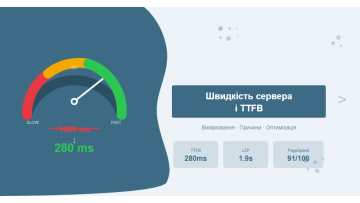
| TTFB (WebPageTest, median) | 1830 ms | 280 ms | −85% |
| LCP (CrUX field data) | 5.2 sec | 1.9 sec | −63% |
| PageSpeed Insights (mobile) | 31 / 100 | 91 / 100 | +60 points |
| GSC: share of «Good» CWV pages | 22% | 91% | +69 pp |
| Organic traffic (GSC) | baseline | +34% | +34% |
| MySQL slow queries / minute | 47 | 3 | −94% |
A 34% traffic increase in 3 months — with no new content, no new pages, and no link-building. Pure server-side technical optimisation. Results are not always this dramatic, but for sites starting with TTFB above 1500 ms, gains of this magnitude are the norm rather than the exception.
What delivered the most impact: migrating to VPS — an immediate −1300 ms TTFB. The remaining optimisations added another −240 ms, but with more stable results under load. Without the VPS move, no other optimisation would have made a meaningful difference — shared hosting is a hard ceiling on performance.
Pitfalls we encountered:
- PHP 8.1 broke two legacy OpenCart modules — they had to be updated or replaced. Always test on staging before deploying to production.
- Redis required a correct eviction policy:
maxmemory-policy allkeys-lru, to avoid consuming all available RAM with a large product catalogue. - Cloudflare was caching checkout pages — resolved via a Page Rule «Bypass Cache» for URLs containing
/cartand/checkout.
Practical checklist: what to do right now
Use this list as a starting point for any site with TTFB above 800 ms. Each item takes no more than 15 minutes to check.
| # | Action | Tool | Expected outcome |
|---|---|---|---|
| 1 | Measure current TTFB from three locations | WebPageTest (Frankfurt, London, New York) | Establish a baseline and identify whether the problem is geographic |
| 2 | Check hosting type and number of sites on the server | Ask your host or run cat /proc/cpuinfo |
If shared — decide on VPS migration |
| 3 | Check PHP version and OPcache status | php -v and php -i | grep opcache |
PHP <8.0 or disabled OPcache — fix immediately |
| 4 | Review slow query log for the past 24 hours | mysqldumpslow -s t /var/log/mysql/slow.log |
Identify the top 5 slowest queries to target first |
| 5 | Verify Redis or Memcached is running | redis-cli ping or php -m | grep redis |
If absent — add object caching layer |
| 6 | Verify HTTP/2 support | curl -I --http2 https://yoursite.com |
If HTTP/1.1 — enable http2 in the Nginx server block |
| 7 | Verify CDN presence | DNS lookup or check for CF-Cache-Status response header |
If absent — connect at minimum Cloudflare Free |
| 8 | Review GSC Core Web Vitals report | Google Search Console → Core Web Vitals | Understand the scope of the problem in real-user field data |
After completing the checklist you will have a clear prioritised plan: what to fix first and what improvement to expect. In our experience, items 1–3 can be completed in a single working session and give the clearest picture of the situation before any changes are made.
One of the most common mistakes is starting with the "easy" fixes — CDN, HTTP/2 — while leaving the root cause (shared hosting) untouched. CDN can cut TTFB by 100–200 ms, but it cannot compensate for 1500 ms of server processing time on an overloaded shared server.
If the checklist raises more questions than it answers, that is completely normal. A server and performance technical audit covers dozens of parameters that are difficult to assess without hands-on experience. We run this as part of our full technical SEO audit and deliver a concrete action plan with priorities, commands, and configuration snippets.
Frequently asked questions
What is a good TTFB in 2026?
Google defines good TTFB as under 800 ms at the 75th percentile of real users. A genuinely competitive level is under 400 ms. Values between 800–1800 ms need improvement; above 1800 ms produces critically poor Core Web Vitals and measurable ranking losses.
Does TTFB directly affect Google rankings?
There is no direct TTFB ranking signal, but TTFB feeds into LCP — one of the three Core Web Vitals signals. A poor TTFB automatically degrades LCP, INP and the overall Page Experience Score, which is a confirmed ranking factor.
What should I check first when TTFB is slow?
Start by measuring TTFB from multiple locations via WebPageTest or PageSpeed Insights. If TTFB is consistently bad from everywhere — the problem is server-side (hosting, PHP, MySQL). If it is only bad from specific regions — CDN is absent or misconfigured.
Does caching help reduce TTFB?
Yes, dramatically. Redis or Memcached for object caching can reduce TTFB from 1500–2000 ms to 150–300 ms on PHP sites. Full-page cache (Varnish, or OpenCart's built-in cache module) delivers even better results by eliminating PHP execution entirely for cached pages.
A slow server is consuming your SEO budget
TTFB above 1000 ms is not just a technical problem — it is daily traffic and conversion losses. We perform a technical audit, identify the exact root cause, and deliver a step-by-step action plan with specific commands and configuration examples.