Your shopping cart is empty!
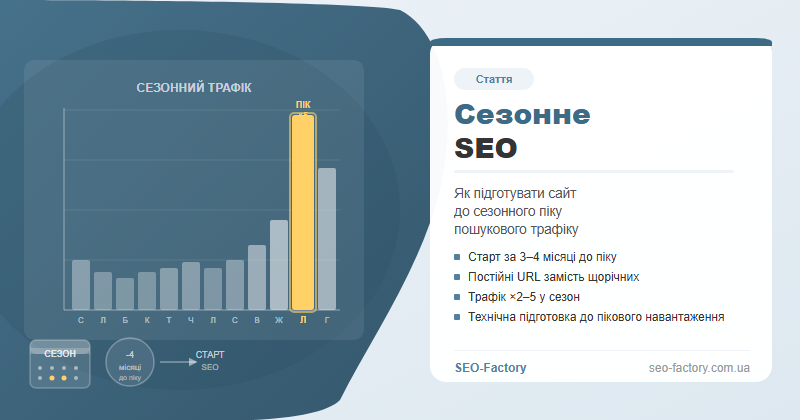
Seasonal traffic spikes are not random — search demand for "black friday deals" or "summer vacation packages" climbs 200–500% in specific weeks. Businesses that start SEO preparation 3–4 months ahead capture organic positions; those that wait until the last moment pay for ads.
What Is Seasonal SEO and Why Prepare Early
Seasonal SEO is a set of optimisation practices that prepare a website for predictable spikes in search demand. Unlike standard SEO focused on steady traffic, seasonal SEO accounts for cyclical user behaviour: winter searches for gifts and holiday travel, summer searches for air conditioning and vacations, autumn searches for back-to-school supplies.
The critical difference between seasonal SEO and paid search is time. A Google Ads campaign can be live within hours; a new or updated page needs 2–4 months to be crawled, indexed, and ranked. A site that begins Black Friday preparations in October is already playing catch-up — competitors who started in August have secured the top positions.
Seasonal SEO applies to a wide range of businesses: e-commerce stores running promotional campaigns, travel agencies, education and training providers (August–September intake), HVAC companies, snow-removal services. If at least 20% of your annual revenue depends on 1–2 months, a seasonal SEO strategy is not optional — it is essential.
The "minus 4 months" rule: identify your peak month, count back 4 months — that is when preparation must begin. Google needs time to crawl, index and rank. Rushing does not help.
Seasonality Analysis: Google Trends, GSC and Keyword Planner
Before building a strategy you need to understand precisely when demand rises in your niche, by how much, and which specific queries are responsible. Three tools together give the full picture.
Google Trends
Google Trends is the fastest way to see the seasonal curve for any query. Always compare the 5-year graph, not the one-year view — it shows repeating patterns without the noise of one-off events. For "winter tyres" the peak is obvious (October–November); for "coding courses" it's September and January; for "flights to Turkey" it's April–May.
Use the "Compare" feature in Trends: enter 3–5 of your target queries at once and see relative peaks for each. This helps prioritise your content calendar.
Google Search Console
If your site has existed for at least a year, GSC provides more accurate data than Trends because it reflects actual traffic to your specific resource. Open Performance → Compare → set the same month in the current and previous year. Queries showing a sharp rise in a specific month are your seasonal keywords.
Keyword Planner
Google Keyword Planner displays average monthly search volume as a bar chart. Select your queries and examine the distribution: if August shows 1,000 impressions and November shows 8,000, that 8x difference defines the scale of preparation required.
Combine all three sources: where Trends, GSC and Keyword Planner all show a peak — that is genuine seasonality. Each tool alone is insufficient: Trends shows relative trends without absolute volumes; Keyword Planner gives volume without showing your site's actual performance; GSC is the most accurate but only reflects your existing traffic.
One important pattern to watch: some niches have a double-peak seasonality. Language schools peak twice — September and January. Travel agencies spike in spring (summer bookings) and autumn (winter-sun destinations). Identifying both peaks and preparing for each is where competitive advantage begins.
For a detailed guide to building and clustering seasonal keyword sets, see building a semantic keyword core.
Content Calendar for Seasonal Queries
Seasonality analysis is the map. A content calendar is the route. Without a clear plan of which page to publish and when, preparation dissolves into last-minute scrambling.
Types of Seasonal Content
Building the Content Calendar
| Lead time | Actions | Owner |
|---|---|---|
| 4 months | Seasonality analysis, identify priority pages, audit current positions | SEO specialist |
| 3 months | Update or create landing pages, start link building | Content + SEO |
| 2 months | Publish supporting blog articles, update meta tags | Copywriter |
| 1 month | Technical audit, internal linking boost, social and email warm-up | Technical SEO |
| Peak | Monitor rankings, site speed, conversions | Analyst |
| Post-peak | Update content, decide on noindex / archive | SEO specialist |
A practical tip: keep all seasonal pages in a master spreadsheet with columns for "peak month", "current position", "last updated", and "action plan". This prevents pages from being overlooked and makes task distribution straightforward.
URL Strategy: Permanent Pages vs. Annual URLs
This is one of the most consequential decisions in seasonal SEO — and one of the most frequently made mistakes. Every year companies create a new URL for their promotion: /black-friday-2023/, /black-friday-2024/, /black-friday-2025/. Every year: zero. Every year: starting from scratch.
Why a Permanent URL Wins
A page at /black-friday/ — without a year in the URL — accumulates:
- Backlinks that remain active year after year
- Behavioural signals: clicks, time on page, conversions
- Organic rankings that hold between seasons
- Google's trust — an established page with a long history outranks a brand-new one
Keep the page alive between seasons: add content about "what happened last year", a pre-registration form, or a reminder of the next date. This keeps Google crawling the page so it does not drop out of the index.
When a New URL Is Justified
The only scenario where a new URL makes sense is when the fundamental nature of the offer changes completely each year (e.g., an entirely different product line). Even then, updating content on the same URL is usually better than creating a new one and losing accumulated authority.
Updating Meta Tags Annually
Even on a permanent URL, meta tags need refreshing before each season:
- Title: include the current year or season — "Black Friday [Year]: Up to 70% Off"
- Description: current dates and offers
- H1 and the opening paragraph: fresh information about the current season
- Structured data: update event dates in schema.org/Event markup
Technical Preparation for Traffic Peaks
A site can hold position one in Google and still crash under peak load. This is not theoretical — we have seen large e-commerce stores lose significant revenue because their servers failed on Black Friday.
Core Web Vitals and LCP
Google incorporates Core Web Vitals into ranking. LCP (Largest Contentful Paint) must be under 2.5 seconds. CLS (Cumulative Layout Shift) must be below 0.1. INP (Interaction to Next Paint) must be below 200 ms. These metrics matter most on mobile, which drives 60–70% of traffic on peak days.
Caching and CDN
Configure correct caching for static assets (images, CSS, JS) — a minimum of 7 days for resources that change infrequently. A CDN (Content Delivery Network) serves content from the server geographically closest to the user, reducing TTFB and offloading the origin server.
Run a load/stress test one week before the season starts: simulate 3–5 times your current peak traffic. Find the bottleneck before the rush, not during it. Recommended tools: k6, Locust, Loader.io.
Pre-Season Technical Checklist
- Check server capacity and scaling options (auto-scaling or manual provisioning)
- Optimise images on seasonal pages (WebP format, lazy loading, correct dimensions)
- Minify render-blocking JavaScript
- Verify that robots.txt and sitemap include all seasonal pages
- Block staging environments from indexation
- Confirm that 301 redirects from old URLs are correctly configured
- Test mobile versions of all seasonal pages
For a comprehensive technical audit framework, see our guide on step-by-step technical SEO audit.
Internal Linking and Backlinks Before the Season
Two mechanisms boost seasonal pages in search results: internal links and external backlinks. Both require advance planning.
Internal Linking
Four to six weeks before the season, increase the number of internal links pointing to seasonal pages. Effective placement points: homepage (banner or promotional block), main navigation, related product pages, blog articles, category pages. The more internal link equity a page receives, the higher its crawl priority.
Temporarily add the seasonal page to the main navigation 4–6 weeks before the peak and remove it afterwards. This delivers a significant internal PageRank boost and noticeably accelerates re-crawling.
For a deep dive into internal link architecture and link flow, see internal linking and link flow.
Backlinks: Reserve Time in Advance
Backlinks obtained a week before the season often do not influence rankings in time — Google needs time to process them. The optimal window for link publication is 2–3 months before the peak.
Where to look for seasonal backlink opportunities:
- Thematic round-ups ("best Black Friday deals") in media and blogs — approach publishers in August or September
- Partner content from adjacent categories
- Press releases about promotions on industry news sites
- Guest articles providing genuine value for the target audience
After the Season: What to Keep, What to Archive
The right actions after the season are just as important as preparation. Mistakes here destroy accumulated SEO progress.
What Never to Do
- Delete the page — you destroy all backlinks and accumulated authority
- 301 redirect to the homepage — the link equity technically passes, but the page disappears from the index and authority gradually dilutes
- Leave stale content ("sale ends November 30th" visible in February) — this signals low-quality content to Google
Three Between-Season Strategies
| Page type | Recommendation | When to use |
|---|---|---|
| Major sale page (BF, Christmas, summer sale) | Keep indexed, update content to reference next season | Recurring promotions with repeating demand |
| One-off event or campaign | Apply noindex until next season | When the format will not repeat |
| Travel destination | Pivot to adjacent season: "ski resort → summer hiking" | Niches with two distinct seasons |
| Product category | Never delete — reduce prominence in navigation | Always |
One Month After the Peak: Action List
- Update content: remove expired dates, keep information about what happened and when the next season is
- Add a "Notify me about the next sale" email capture form — you are building a warm list for next year
- Analyse what worked and what did not. Record it in the content plan for next year
- Maintain at least 2–3 internal links to the page — this sustains crawl budget through the off-season
Common Seasonal SEO Mistakes
- Starting optimisation 2–3 weeks before the peak. SEO cannot catch up in time. Paid ads fill the gap — expensively.
- New URL every year. The most prevalent e-commerce mistake. "/bf-2024/" and "/bf-2025/" are two different sites to Google.
- Deleting the page after the season. A 404 on a URL that had backlinks is direct authority loss.
- Ignoring the mobile experience. At peak, 60–75% of orders come from smartphones.
- No technical load testing. The site crashes at the worst possible moment.
- Identical content year after year. Google devalues pages with no updates.
- Ignoring micro-seasons. Not only major holidays — Mother's Day, Valentine's Day, back-to-school — for relevant niches these are peaks too.
"Seasonal SEO is about planning. If you are thinking about Black Friday in October, you are already late. If you started in August, you are ready."
Seasonal optimisation is not a standalone project — it is part of a broader website SEO promotion strategy. It requires coordination between the content team, developers and SEO specialists, and results depend directly on how early and how systematically the work is done.
Frequently Asked Questions
How far in advance should I prepare for a seasonal SEO peak?
At least 3–4 months before the season starts. Google needs 2–4 months to crawl, index and rank pages. If your peak is November (Black Friday), start in July or August.
Should I create a new URL every year for seasonal campaigns?
No. Permanent URLs like /black-friday/ accumulate links and authority year after year. Creating a new URL resets all SEO progress to zero. The only exception is fundamentally different content each year.
What should I do with seasonal pages after the season ends?
Do not delete them or redirect to the homepage. Update the content, add the date of the next season, and apply noindex temporarily if needed. Remove noindex and restore internal links before the next season.
How do I identify seasonal demand for my niche?
Combine Google Trends (5-year graph), Google Search Console (year-over-year quarter comparison) and Keyword Planner (monthly volume). Where all three show a peak — that is your season.
Is technical preparation necessary for seasonal traffic?
Yes. Check LCP (under 2.5 s), configure caching and CDN. Run a load test one week before the peak. A site crash during peak season costs far more than preventive preparation.
Do seasonal backlinks help SEO?
Yes, but links need to be built 2–3 months before the season so Google has time to process them. Arrange coverage with media and partners well in advance.
Preparing for your seasonal peak?
SEO-Factory will develop a complete seasonal SEO strategy: content plan, technical site preparation and link building before the season starts.