Your shopping cart is empty!
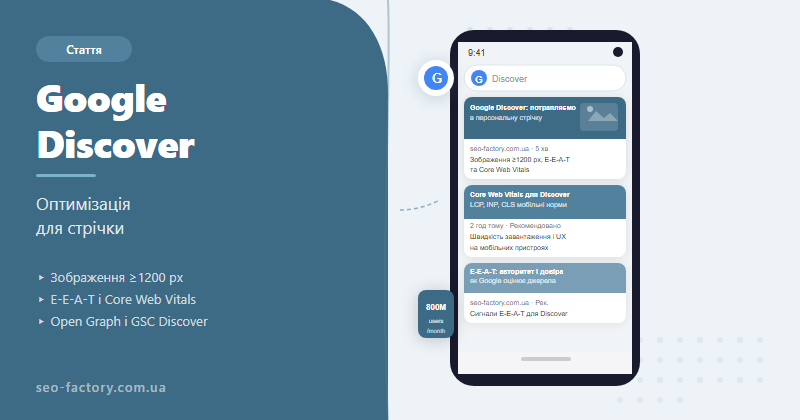
Google Discover is a personalized content feed on mobile devices that surfaces articles without any search query. Getting in requires image optimization (minimum 1200 px), E-E-A-T signals, fast page load, and the right meta tags — here is a detailed breakdown of every step.
What is Google Discover and how it works
Google Discover launched in 2018 as the evolution of Google Feed — a personalized stream that opens on the Google App home screen and in Chrome on Android and iOS. Unlike classic search, where the user types a query, Discover works in reverse: the algorithm itself determines which topics you are likely to find interesting and proactively surfaces content.
The mechanics are straightforward but multi-layered. Google analyses your search and browsing history, geolocation, language, activity on YouTube and Google Maps, and explicit topic preferences if you have configured them in the Discover settings. These signals combine into a unique feed — the same article can receive hundreds of thousands of impressions for one audience segment and none at all for another.
Research estimates that Discover reaches over 800 million active users per month. For media sites, blogs and news outlets, this represents a larger potential traffic channel than all organic search combined in many verticals.
At SEO-Factory we have tracked projects where a single well-optimized article in Discover drove 150,000–400,000 visits in a single week — with no keyword ranking whatsoever. The feed operates by its own rules, and understanding those rules means gaining access to one of the most powerful free reach channels available.
The key insight: Discover is not a tool you control directly. There is no "submit to Discover" button. What exists is a set of factors that meaningfully raise the probability of appearing — and those are exactly what we cover in the sections below.
Discover vs search: key differences
SEO practitioners used to traditional keyword-based optimization often misjudge Discover. The two channels operate on fundamentally different logic.
In search, ranking is determined by relevance to a specific query. Target a keyword, earn a position. In Discover there is no query: the algorithm decides what someone would like to read right now based on inferred interests, not declared intent. That is the foundational difference.
This creates practical differences in optimization approach. In search you target a specific query — you pick a keyword, optimize the title and H1. In Discover you target interest and emotion: will this headline stop the scroll? Does the image look compelling enough to tap?
Discover traffic also behaves differently. Search traffic is relatively stable and predictable, growing gradually. Discover traffic arrives in waves and spikes. An article can receive 50,000 visits in a single day, then a few hundred the next. This happens because the algorithm surfaces a piece for a specific audience segment at a specific moment in time.
Tip: do not try to replace SEO with Discover — combine both channels. Search delivers a stable traffic baseline; Discover delivers rare but powerful reach spikes.
| Parameter | Google Discover | Google Search |
|---|---|---|
| Trigger for showing | User interests | Search query |
| Devices | Mobile only | Desktop + mobile |
| Traffic pattern | Wave-like, spikes | Stable, predictable |
| Key ranking factor | Image + headline + E-E-A-T | Relevance + authority |
| Control over placement | Indirect (optimization) | Direct (keywords) |
| Duration of effect | 1 day to several months | Months and years |
Image requirements: the technical foundation
The image is the first and most important thing Google checks when selecting content for Discover. Without a correctly configured image an article will almost never appear in the feed — or it will appear with a tiny thumbnail that produces a near-zero CTR.
Minimum width of 1200 pixels
Google officially states: to display a large preview in Discover the image must be at least 1200 pixels wide. Without meeting this criterion the card either will not appear or will show a tiny thumbnail. A narrow preview reduces CTR by 3–5× compared to a large image.
The max-image-preview:large directive
The second mandatory technical step is granting Google permission to show a large image. This is done via the robots meta tag:
<meta name="robots" content="max-image-preview:large">Without this directive Google does not have permission for a large preview — even if the image is 1200 pixels wide. Verify this directive is present on every page of your blog.
Format and image quality
A horizontal format (16:9 or 3:2 aspect ratio) looks significantly better in the mobile feed. Vertical or square images are technically acceptable but occupy less space and appear less attractive. The ideal Discover image size is 1200×628 or 1200×800 pixels.
Image checklist for Discover:
✓ Width ≥1200 px
✓ Horizontal format (16:9 or 3:2)
✓
✓ og:image points to this image
✓ Image is not protected by rights that restrict third-party display
✓ Alt text describes the actual content of the image
✓ Width ≥1200 px
✓ Horizontal format (16:9 or 3:2)
✓
max-image-preview:large directive in robots meta✓ og:image points to this image
✓ Image is not protected by rights that restrict third-party display
✓ Alt text describes the actual content of the image
One more nuance: Google should not have to guess which image is the primary one for the page. If you have multiple images in an article, specify the main one via the og:image tag. That is the image the algorithm will use for the Discover card.
The role of E-E-A-T in Discover
Google Discover is particularly demanding when it comes to trust signals — far more so than regular search. The logic is clear: in search the user actively seeks information and to some extent filters sources themselves. In Discover content is surfaced without any request, so the algorithm bears greater responsibility for quality and accuracy.
E-E-A-T (experience, expertise, authoritativeness, trustworthiness) in the context of Discover primarily affects whether Google trusts a site as a source at all. Sites with low E-E-A-T can write excellent content — but they rarely appear in Discover.
How to strengthen E-E-A-T for Discover
- Real authors with biographies: name and surname of the article's author. Ideally with a link to a profile, portfolio or LinkedIn. Anonymous content is ignored by Discover.
- Publication and update dates: the algorithm sees freshness. If you have updated an article, indicate the update date via schema.org (
dateModified). - Links to verified sources: for YMYL topics (health, finance, law) cite official sources. Google officially recommends following Editorial Standards for sites that aim to appear in Discover.
- Brand recognition: if your site is not widely known, build awareness through social media, guest posts and PR. Discover factors in how broadly a brand is recognised.
- Organisational transparency: About Us, Editorial Policy pages, and contact information are signals Discover weighs when ranking sources.
At SEO-Factory we observed a consistent pattern: clients who systematically worked on E-E-A-T over 3–4 months — updating author pages, adding schema.org Person markup, publishing original research — started receiving their first Discover impressions exactly after these changes, with the same content as before.
Core Web Vitals and site speed
Discover is exclusively focused on the mobile experience. If your site loads slowly on a smartphone, the algorithm will simply not let its articles into the feed — even if everything else is well-optimized.
The three core Core Web Vitals metrics are critical for Discover:
| Metric | What it measures | Good score | Poor threshold |
|---|---|---|---|
| LCP (Largest Contentful Paint) | Load time of the main content | ≤2.5 s | >4 s |
| INP (Interaction to Next Paint) | Response to user interactions | ≤200 ms | >500 ms |
| CLS (Cumulative Layout Shift) | Layout stability | ≤0.1 | >0.25 |
How to check your scores? Google Search Console has a dedicated Core Web Vitals report with per-page breakdowns. For detailed URL-level analysis use PageSpeed Insights — it shows real-world field data (CrUX) alongside lab results.
Common technical issues that block Discover
- Slow LCP from unoptimized images: article hero images are often the heaviest element on the page. Convert to WebP, add
loading="eager"andfetchpriority="high"to the main image. - Render-blocking third-party scripts: ad slots, chat widgets, analytics pixels. Load them asynchronously or deferred.
- CLS from banners and pop-ups: elements that shift content after load raise CLS. Reserve space for dynamic elements with fixed dimensions.
- No CDN: for media sites a CDN is not optional — it is essential. A Discover traffic spike can bring down a server that is not scaled for it.
For media sites: when an article hits Discover and starts trending, it can receive thousands of requests in just a few hours. Make sure your hosting and CDN can handle the load. A site that goes down during a Discover spike sends a poor availability signal — and the algorithm takes note.
Headlines and content types for Discover
One of the most common myths about Discover is that only fresh news makes it in. In reality the algorithm serves both types of content, just with different dynamics.
News vs evergreen: strategy
News articles get into Discover on the strength of freshness — if an event resonates with the audience's interests, a piece can receive thousands of visits within 24–48 hours, then traffic drops sharply. Evergreen articles, on the other hand, can appear in the feed for months: if the topic aligns with the current interests of specific audience segments, Discover regularly rediscovers such pieces.
At SEO-Factory we recommend a blend: 60–70% evergreen + 30–40% timely content. Evergreen gives a steady Discover traffic base; timely content creates audience reach spikes.
Headline principles for Discover
A Discover headline is not an SEO title tag. There is no need to insert a keyword — the algorithm already knows the topic from the page content. The headline must stop the scroll.
- Specificity over vagueness: "7 technical errors that block your site from Discover" outperforms "Everything about Google Discover".
- No click-bait: Google explicitly states that misleading or exaggerated headlines are filtered out. Promise only what the article actually delivers.
- Intrigue and concrete benefit: the reader must understand what they will learn and why it matters right now.
- Optimal length: 50–80 characters — the headline is fully visible in the card.
Topics that perform well in Discover
Based on SEO-Factory client analysis, the best-performing Discover content includes:
- Practical guides with concrete outcomes ("How we grew Discover traffic 8× in 3 months")
- Reviews and comparisons (tools, approaches, services)
- Fresh research and statistics — especially if you are first to publish the data
- Contrarian but well-argued takes
- Industry news with commentary — not just a summary but an original interpretation
Open Graph tags and technical setup
Open Graph is the markup standard that controls how your content looks in social networks and Google services, including Discover. A properly configured OG block directly determines the appearance of your card in the feed.
Minimum OG tags required for Discover:
<meta property="og:type" content="article">
<meta property="og:title" content="Article headline — accurate, no click-bait">
<meta property="og:description" content="150–200 characters explaining the value of the piece">
<meta property="og:image" content="https://example.com/images/article-1200x628.jpg">
<meta property="og:image:width" content="1200">
<meta property="og:image:height" content="628">
<meta property="og:url" content="https://example.com/article-slug">
<meta property="article:published_time" content="2026-01-15T10:00:00Z">
<meta property="article:modified_time" content="2026-06-10T14:30:00Z">
<meta name="robots" content="max-image-preview:large">
A few important details:
og:imagemust point to an absolute URL, not a relative path.- The image must not have access restrictions (authentication, CDN without public access).
- If you have a
twitter:imagetag — also make sure its size is ≥1200 px, as some parsers use Twitter Card data. article:modified_timehelps the Discover algorithm determine whether a piece is fresh enough for a repeat show.
You can verify your OG markup using Facebook Sharing Debugger or LinkedIn Post Inspector — both show exactly how your card will appear when shared.
Tracking Discover in Google Search Console
Google Search Console is the only official tool for tracking Discover traffic. The Discover tab appears in the Performance section once the site accumulates enough data (typically a few hundred Discover clicks).
What the Discover tab shows
- Impressions: how many times your content appeared in users' feeds
- Clicks: visits to your site from Discover
- CTR: ratio of clicks to impressions (typically 1–10% — lower than search)
- Top pages: which pieces most frequently appear in Discover
Analysing GSC Discover data
- Filter by date range: compare 28-day periods to spot trends rather than one-off spikes.
- Match with publication dates: if Discover impressions jumped sharply after a specific article went live, record its format and topic as a successful template.
- CTR below 3%: usually indicates an image or headline problem — experiment with different cover images.
- Impressions without clicks: if an article appeared in the feed but nobody clicked, the headline is not stopping the scroll.
One important detail: Discover data in GSC appears with a 2–3 day delay and is retained for only the last 16 months. For a long-term archive, regularly export data or connect Looker Studio.
Common mistakes and how to avoid them
Based on audits and ongoing work with SEO-Factory clients, here are the most frequent reasons sites fail to get Discover traffic even after basic optimization.
| Mistake | Why it hurts | Fix |
|---|---|---|
| Image narrower than 1200 px | No large preview — near-zero CTR | Convert all article covers to 1200×628 px+ |
| Missing max-image-preview:large | Google has no permission to show a large image | Add to the robots meta tag template on all pages |
| Duplicate content | Google ignores material without unique value | Check canonical tags, remove copy-pasted sections |
| Weak E-E-A-T | Algorithm does not trust the source for Discover | Real authors, bios, schema Person, outbound authority links |
| Slow mobile site | LCP >4 s = site fails the quality filter | WebP, CDN, deferred JS loading |
| Click-bait headlines | Google actively filters sensationalism | Accurate headlines that describe the actual content |
| No GSC tracking | Impossible to understand what is working | Connect GSC, check the Discover tab weekly |
A separate trap is trying to "trick" Discover with aggressive headlines. The algorithm analyses behavioural metrics: if users close the page quickly, Discover stops showing that site's material. Session duration and scroll depth are indirect quality signals that influence Discover placement.
Also worth noting: featured snippets and Discover are adjacent but separate mechanisms. Featured snippets are optimized for specific queries. Discover is not tied to keywords directly — what matters is the overall reputation of the source.
Frequently asked questions
What is Google Discover and how does it differ from search?
Google Discover is a personalized mobile content feed that surfaces articles without any search query. Unlike search, where ranking is determined by relevance to a keyword, Discover shows content based on the user's prior interests and behavior. You cannot control it directly — only optimize the conditions for appearing.
What are the image requirements for Google Discover?
Images must be at least 1200 pixels wide, horizontal format (16:9 or 3:2). A max-image-preview:large robots meta tag is mandatory, as is a correctly set og:image with an absolute URL. Without these conditions Google either will not display a large preview or will not show the article in the feed at all.
Can you guarantee a placement in Google Discover?
No. There is no direct way to submit content to Discover — the algorithm decides on its own. Optimization significantly raises the probability but does not guarantee specific results. Even a technically flawless site may not receive Discover traffic if its topic does not align with any audience interest segment.
How do you track Google Discover traffic?
Google Search Console has a dedicated Discover tab under Performance. It appears once the site accumulates enough clicks. Data has a 2–3 day delay and is retained for the last 16 months only.
Which content performs better in Discover — news or evergreen?
Both types, but with different dynamics. News generates short traffic spikes within 24–48 hours. Evergreen content can appear in Discover for months if the topic continuously matches audience interests. The best approach combines both.
Why is E-E-A-T important for Discover?
Discover surfaces content without any query, so Google bears greater responsibility for quality. The algorithm favours authoritative sources with named authors, transparent editorial policies and demonstrated expertise. Sites with low E-E-A-T rarely appear in the feed even when technical parameters are perfect.
Want traffic from Google Discover?
SEO-Factory optimizes content and technical site parameters to help your articles appear in the Discover feed.