Your shopping cart is empty!
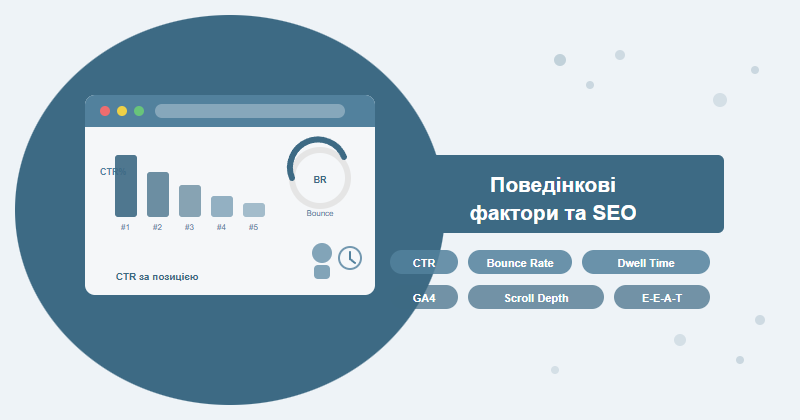
Behavioral signals — CTR, dwell time, bounce rate, scroll depth, return visits — capture how real users respond to your content. Google reads these signals to judge whether a page satisfies search intent. Improving these metrics consistently correlates with stronger rankings and more sustainable organic growth.
Contents
- What behavioral factors are and why they matter
- CTR in search results: how to boost click-through rate
- Dwell time and engagement: what Google actually measures
- Bounce rate: when it becomes a real problem
- Scroll depth and pages per session
- Return visits and audience loyalty
- GA4 for monitoring behavioral SEO signals
- Correlation vs causation: what the research shows
- Correlation vs causation: what the research shows
- Pogo-sticking and dissatisfaction signals
- Mobile behavioral factors
- A practical strategy for improving behavioral metrics
- Frequently asked questions
What behavioral factors are and why they matter
Behavioral factors are metrics that describe how users interact with your site after clicking a search result. Unlike technical signals (page speed, crawlability) or link signals (domain authority, backlink count), behavioral data captures a live human verdict: did someone click your result, stay on the page, dig deeper, and come back?
Google doesn't publish a ranked list of all ranking signals, but leaked internal documents and independent research confirm the algorithm pays close attention to post-click behavior. A user who hits the back button seconds after clicking sends a dissatisfaction signal. A user who spends five minutes reading and then visits three more pages sends a strong quality signal.
The core behavioral ranking factors:
- CTR (Click-Through Rate) — the percentage of searchers who click your result
- Dwell time / time on page — how long a user stays before leaving
- Bounce rate — the share of single-page sessions with no meaningful interaction
- Pages per session — how many pages a visitor views in one visit
- Return visits — whether the same user comes back to your site
- Scroll depth — how far down the page users actually read
Working across many client projects, we've seen a pattern: sites with comparable technical foundations and link profiles often rank differently — and the gap frequently traces back to behavioral metrics. A page with a 4% CTR and 70% engagement rate consistently outperforms a competitor with a stronger backlink profile but a 1.5% CTR and high bounce rate.
Think of behavioral signals as real-time user votes on your content quality. Every click, every minute spent reading, every return visit — Google is counting them all.
CTR in search results: how to boost click-through rate
CTR is the first behavioral signal Google receives — before the user even lands on your page. If your result gets 10 clicks out of 1,000 impressions, that's a 1% CTR. If a competitor at the same average position pulls 5%, the algorithm notices. Studies suggest Google uses this data through a system called NavBoost to make real-time adjustments to rankings.
Average CTR benchmarks by position
| SERP Position | Avg CTR (informational queries) | Avg CTR (commercial queries) |
|---|---|---|
| 1 | 28–35% | 15–25% |
| 2 | 15–18% | 8–14% |
| 3 | 10–13% | 6–10% |
| 4–5 | 6–9% | 3–6% |
| 6–10 | 2–5% | 1–3% |
If your CTR sits 30%+ below the position average, your snippet needs work before anything else. Here's where to start:
CTR improvement checklist
- ✓ Numbers in the title — "7 Ways to...", "In Under 2 Weeks" lifts CTR by 20–30%
- ✓ Question-format titles for informational queries — "How...?", "Why...?"
- ✓ Action verbs in description — "discover", "learn", "check", "get"
- ✓ Intent match — your title must directly answer what the query is asking
- ✓ Rich snippets — star ratings, FAQ markup, breadcrumbs expand visual footprint
- ✓ Recency signals — "[2025]" or "Updated" for fresh content drives clicks
- ✓ Emoji — use sparingly and only when relevant to the topic
- ✓ Clean URL slug — short, descriptive, no unnecessary parameters
Pro tip: In GSC, filter pages to positions 4–10 and sort by CTR ascending. These are your highest-leverage opportunities — a better snippet can move the needle without waiting for link building or content rewrites. Test a new title and description, then check back after 2–3 weeks.
One growing challenge: Google's AI Overviews are appearing for more informational queries and absorbing clicks that previously went to organic results. For queries triggering AI Overviews, organic CTR can drop 30–60%. The counter-strategy is either optimizing to be cited within AI Overviews or doubling down on transactional queries where AI answers appear less frequently.
Dwell time and engagement: what Google actually measures
Dwell time — the gap between a user clicking your result and returning to the SERP — is a behavioral signal Google can observe directly. Long dwell time suggests the page satisfied the query. Short dwell time followed by clicking a competitor result (pogo-sticking) is a clear dissatisfaction signal.
Within your own analytics, GA4 replaced the old "time on page" metric with Engagement Rate — the percentage of sessions where a user spent more than 10 seconds on site, viewed 2+ pages, or completed a conversion event. This is a more reliable measure of genuine engagement than raw time on page, which could be inflated by users who opened a tab and walked away.
Time on page benchmarks
| Content type | Average time (min) | Strong performance |
|---|---|---|
| Blog article (1,500–3,000 words) | 2–4 | 4+ minutes |
| Landing page / service page | 1–2 | 2–3 minutes |
| E-commerce product page | 1–3 | 3+ minutes |
| Homepage | 0.5–1.5 | 1.5+ minutes |
| FAQ / help article | 0.5–2 | Depends on answer length |
How to increase time on page
Across e-commerce and content-heavy projects, these approaches have consistently moved the needle:
- Embedded video — adds 2–3x average session time almost immediately
- Interactive tools — calculators, quizzes, comparison tables keep users engaged
- Long-form structured content with anchor-linked sections keeps readers scrolling
- Contextual internal links — "related reading" placed naturally within the text
- Images and data visualizations — readers pause and process visuals
- Pull quotes and callout blocks — break reading rhythm and reinforce key points
A word of caution: Don't pad content just to inflate time on page. A user who finds their answer in 45 seconds and leaves satisfied is a win — not a problem. Dense, accurate content beats bloated prose every time.
Bounce rate: when it becomes a real problem
Bounce rate measures the percentage of sessions where a visitor viewed only one page with no recorded interaction. In GA4 the concept flipped: instead of bounce rate, you now see Engagement Rate — and a "bounce" in GA4 means an unengaged session (under 10 seconds, one page, no events).
High bounce rate isn't automatically bad. A user who reads your FAQ, gets their answer, and closes the tab satisfied is a good outcome. The dangerous pattern is pogo-sticking — clicking your result, then immediately clicking back to Google to try another result. That's the signal Google acts on.
Bounce rate benchmarks by page type
| Page type | Low BR (good) | Average BR | Critical BR |
|---|---|---|---|
| E-commerce category | <30% | 30–50% | >60% |
| Service / solution page | <40% | 40–60% | >70% |
| Blog / informational | <60% | 60–80% | >85% |
| Landing page | <60% | 60–80% | >90% |
| News article | <75% | 75–90% | >92% |
Root causes of high bounce rate — and fixes
Before acting, diagnose the actual cause. The most common culprits:
- Intent mismatch — title/description promise something the page doesn't deliver. Fix: audit your snippets against actual page content.
- Slow load time — every second over 3s loses roughly 7–12% of mobile visitors. Run a Core Web Vitals audit first.
- Poor readability — walls of text, no headings, small font size, low contrast.
- Wrong traffic — the page ranks for queries it doesn't actually answer well.
- Bad mobile UX — especially critical when 60%+ of your traffic is mobile.
- Intrusive pop-ups — immediate modals on entry drive away new visitors.
Quick diagnostic: In GA4, open the Pages and Screens report, sort by Engagement Rate ascending, and flag pages below 30%. Cross-reference their GSC titles and descriptions against actual page content — in most cases the mismatch is immediately visible.
Scroll depth and pages per session
Scroll depth tells you what percentage of your page users actually read. If 80% of visitors never scroll past the first 25% of the page, the bottom three-quarters of your content is invisible — and you're wasting your effort writing it.
GA4 fires a built-in scroll event at 90% depth. For granular breakpoints at 25%, 50%, and 75%, you'll need to set up custom events in Google Tag Manager. We recommend this for any content page with more than 1,000 words — it's a one-time setup that pays dividends for years.
Reading the scroll data
- 0–25% scroll — above-the-fold problem: headline isn't compelling, page loads too slowly, or you're attracting the wrong traffic
- 25–50% scroll — readers start the content but lose interest. The page may not be delivering on the intent it promised
- 50–75% scroll — solid for most content types; room to improve structure in the latter half
- 75–100% scroll — excellent; most readers are consuming the full piece
Pages per session
This metric matters most for e-commerce and content hubs. Reference benchmarks:
- 1.5–2 pages/session — typical for blogs and news sites
- 3–5 pages/session — strong for e-commerce
- 5+ pages/session — excellent; highly engaged audience
To improve pages per session, invest in smart internal linking: place links to related articles within the body text, not just in sidebar widgets or bottom-of-page "related posts" modules. In-body contextual links consistently achieve 3–5x higher click rates than sidebar or footer links.
Return visits and audience loyalty
Return visit rate rarely gets discussed in SEO circles, but it carries real weight. Through Chrome usage data and logged-in Google users, the search engine can observe whether people choose to come back to a site directly — without a new search query. High return visit rates are a strong proxy for site authority and trustworthiness.
Normal return visit rates vary significantly by site type:
| Site type | Return visit rate |
|---|---|
| Blog / media | 30–50% |
| E-commerce | 20–35% |
| SaaS / web app | 50–70% |
| Corporate / B2B | 15–25% |
| Landing page | 5–15% |
How to build a returning audience
- Email newsletter — the most reliable channel for driving return visits
- Web push notifications — effective for news-driven and content-heavy sites
- Consistent publishing schedule — gives users a reason to come back
- Free tools and calculators — users bookmark and revisit utility pages repeatedly
- Remarketing campaigns — Google and Meta Ads to re-engage past visitors
The E-E-A-T connection: Sites with high return visit rates tend to perform better on E-E-A-T evaluations. When users deliberately navigate directly to your domain — or search for "yoursite.com + topic" — that branded search behavior is one of the strongest authority signals Google can observe.
GA4 for monitoring behavioral SEO signals
Google Analytics 4 represents a fundamental rethink of how engagement is measured. Where Universal Analytics counted page views and sessions, GA4 is built around events — which means every meaningful user action can be tracked, not just page loads. For behavioral SEO work, this shift is genuinely useful.
Key GA4 reports for behavioral analysis
Start with these four reports:
- Engagement → Pages and screens — engagement time per page, Engagement Rate, views per page
- Engagement → Overview — site-wide Engagement Rate, average session duration
- Retention → Cohort exploration — return visit patterns over time
- Engagement → Paths — how users navigate between pages after landing
Custom tracking setup for SEO
Default GA4 configuration misses important signals. Set these up via GTM:
- Scroll depth events — fire at 25%, 50%, 75% for content pages
- Engaged time segments — create audiences based on time-on-page thresholds
- GSC integration — link GA4 with Search Console to overlay query data
- Custom dimensions — track article author, content category, word count for content analysis
The GA4 + GSC diagnostic workflow
The most actionable SEO insights come from combining both tools. GSC shows what happens in the SERP; GA4 shows what happens after the click. Here's the diagnostic loop:
- In GSC, find pages ranked positions 4–10 with below-average CTR
- In GA4, check those same pages for Engagement Rate and average engagement time
- If both CTR and engagement are low — the content has an intent or quality problem
- If CTR is low but engagement is high — the snippet undersells good content; rewrite the title and description
- If CTR is normal but engagement is low — the page experience is the issue (speed, UX, readability)
For a full walkthrough on setting up and reading Search Console data, see our Google Search Console SEO guide.
Correlation vs causation: what the research shows
This is the central debate in behavioral SEO. Do better behavioral signals cause higher rankings — or do higher rankings naturally produce better behavioral signals? The honest answer is: probably both, entangled in ways that are hard to isolate.
Evidence that behavioral signals influence rankings
The case for direct or near-direct influence:
- The 2024 Google document leak referenced NavBoost — an internal system that adjusts rankings based on click data signals
- Multiple Google patents describe mechanisms for using post-click "satisfaction signals" in ranking
- Research published by Search Engine Land and Moz found correlation coefficients of 0.6–0.7 between CTR and ranking position after controlling for position bias
- Rand Fishkin's CTR manipulation experiments showed short-term ranking changes that couldn't be explained by other factors
The skeptic's case
The counterarguments are equally legitimate:
- Correlation doesn't imply causation — pages at position 1 naturally attract more clicks and longer dwell times regardless of quality
- Google has repeatedly stated it doesn't use GA data directly as a ranking signal
- Artificially manipulating behavioral signals (click farms, bot traffic) can trigger spam penalties
- Isolating behavioral signal impact from hundreds of other ranking factors is methodologically very difficult
The most defensible position: behavioral signals likely influence rankings indirectly — through ML models trained on user satisfaction data that learn which types of pages best fulfill different query intents. The crude "more clicks = higher ranking" model is too simple, but "user satisfaction doesn't matter" is clearly wrong.
From a practical standpoint, the causation debate is beside the point. Better behavioral metrics mean a better user experience. Better user experience is what Google is optimizing for. Aligning with that goal is always the right strategy.
Pogo-sticking and other critical dissatisfaction signals
Among all behavioral signals, pogo-sticking is one of the most damaging. It happens when a user clicks your result, immediately returns to the SERP, and clicks a competitor's result instead. Google reads this as a clear failure: the page didn't answer the query.
Pogo-sticking is hard to distinguish from a regular bounce in GA4 — both show up as short single-page sessions. But there are indirect warning signs:
- Average session duration under 15–20 seconds combined with bounce rate above 80%
- New users showing significantly worse engagement than returning users on the same pages
- Pages losing ranking positions with no change in backlinks or technical setup
Fixing the root causes of pogo-sticking
The first screen is everything. What a user sees before scrolling determines whether they stay. Audit these elements:
- Page headline — does it confirm the promise made in the SERP title? A mismatch is the single biggest pogo-sticking trigger
- Opening paragraph — does it answer the query immediately or spend three sentences warming up? Apply Answer-First: lead with the main point
- Above-the-fold clutter — ads, banners, and pop-ups before the content? Remove anything that delays the user reaching their answer
- LCP speed — if Largest Contentful Paint exceeds 2.5 seconds, many users leave before the content even renders
The 5-second test: Open your page on a smartphone over a mobile connection. If you can't see a clear answer to the target query within 5 seconds — your users can't either.
Mobile behavioral factors: why they outweigh desktop
Over 60% of searches now come from mobile devices. Mobile users have a lower patience threshold than desktop users — if a page takes more than 3 seconds to load or is awkward to read, they leave faster and don't come back.
Google's Mobile-First indexing means the mobile version of your page determines its ranking for everyone — desktop users included. Poor mobile behavioral metrics are a ranking problem across all devices.
Common mobile behavioral issues and fixes
| Issue | GA4 symptom | Fix |
|---|---|---|
| Text too small | High mobile bounce, time <10 sec | Body font ≥16px, line-height 1.6 |
| Horizontal scroll | Low scroll depth on mobile | Responsive tables, max-width: 100% |
| Heavy images | LCP >4 sec, high bounce | WebP format, lazy loading, srcset |
| Tap targets too small | Low internal link CTR on mobile | Touch targets ≥48×48px per Google guidelines |
| Full-screen pop-ups | Bounce rate >90% on mobile | Remove or delay by 30+ seconds |
We segment mobile vs desktop Engagement Rate separately in GA4 for every client project. When mobile engagement runs 20%+ below desktop, there's a specific UX issue to fix — and it's always worth fixing first, given mobile's share of traffic. For the full checklist, see our guide on Mobile-First indexing readiness.
A practical strategy for improving behavioral metrics
Improving behavioral signals isn't a one-time project — it's an ongoing cycle of measure, diagnose, fix, and verify. The key is working on one variable at a time so you can attribute changes to specific actions.
How to prioritize your work
Run a quick audit in GA4 and GSC to find pages where:
- CTR is 30%+ below position average — start with snippet optimization, it's the quickest win
- Engagement Rate is below 30% — investigate content quality and intent alignment
- Average engagement time is under 1 minute for long-form pages — restructure the content
- Bounce rate is above normal for the page type — check for intent mismatch or UX issues
Technical factors that directly impact behavioral metrics
You can't separate behavioral performance from technical quality. The minimum bar:
- Page speed — each additional second of load time increases bounce rate by 7–12%; check Core Web Vitals
- Mobile UX — if mobile users account for >60% of traffic and the mobile experience is poor, all behavioral metrics suffer
- Readability — line length under 75 characters, 1.5–1.7 line height, sufficient white space
- Contrast and font size — WCAG minimum 4.5:1 contrast ratio, body text ≥16px
Content factors
- Answer-first structure — put the main answer in the opening paragraph, not buried at the bottom
- Clear visual hierarchy — H2/H3 headings, bullet lists, comparison tables instead of prose walls
- Freshness — outdated content reliably produces higher bounce rates; audit and refresh annually at minimum
- Completeness — fully answering the query intent beats superficial coverage every time
- E-E-A-T signals — named authors, cited sources, real experience markers build user trust and reduce bounces
SEO-Factory's approach: When we take on website SEO promotion projects, behavioral metrics analysis is always part of the initial technical audit. We use the framework above to identify the highest-leverage pages and fix them in priority order. See our full technical SEO audit guide for the complete diagnostic process.
Ongoing monitoring cadence
Build behavioral metrics into your regular SEO reporting:
- Weekly — GSC: CTR and position changes for top pages
- Monthly — GA4: Engagement Rate trends, dwell time, return visit rate
- Quarterly — deep-dive on underperforming pages, A/B snippet tests, content refresh audit
Frequently asked questions
Are behavioral factors a direct Google ranking signal?
Google has never officially confirmed that specific behavioral metrics are direct ranking signals. However, leaked internal documents and large-scale correlation studies suggest CTR, dwell time, and bounce rate do influence rankings — at least indirectly, through ML models trained on user satisfaction data and the NavBoost system.
What is a good bounce rate for a website?
Bounce rate benchmarks vary by page type: landing pages 70–90% (normal), blog content 65–90%, e-commerce category pages 20–45%, service pages 40–60%. The real warning sign is a sudden spike in bounce rate on pages that previously performed well — that signals a content or UX regression.
How can I improve CTR without changing my ranking position?
Rewrite your title and meta description: add numbers, action verbs, and a clear value proposition. Test variants using GSC data. Implement structured data for rich snippets — star ratings, FAQ markup, breadcrumbs. For e-commerce, add price and availability schema. Monitor CTR weekly and iterate every 2–3 weeks.
How does GA4 help monitor behavioral SEO factors?
GA4 tracks Engagement Rate (replacing bounce rate), average engagement time, pages per session, and scroll/click events. The "Engagement → Pages and screens" report shows top pages by engagement. Linking GA4 with Google Search Console creates a complete picture: impressions and CTR from GSC, plus on-site behavior from GA4.
Turn your behavioral data into ranking gains
SEO-Factory combines behavioral analysis, technical auditing, and content strategy to improve CTR, dwell time, and engagement — then lets the rankings follow. Let's look at your data together.
Get a website promotion plan