Your shopping cart is empty!
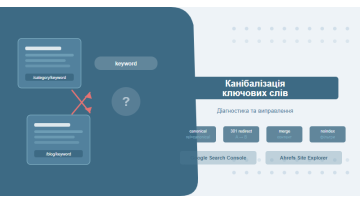
Keyword cannibalization is what happens when multiple pages on your site compete for the same search queries, pulling each other's rankings down. Here is how to find it with GSC and Ahrefs — and fix it with canonical tags, redirects, or content consolidation.
Contents
- What is keyword cannibalization
- Why it hurts SEO
- Types of cannibalization
- Diagnosing with Google Search Console
- Diagnosing with Ahrefs and other tools
- Cannibalization diagnostic checklist
- Fix 1: canonical tag
- Fix 2: 301 redirect
- Fix 3: content consolidation
- Fix 4: noindex
- Fix 5: retargeting pages
- Tools for diagnosing cannibalization
- Real-world case: furniture e-commerce
- Comparison: which fix to use when
- What to do after fixing
- FAQ
What is keyword cannibalization
Picture an e-commerce site selling running shoes. Over time, the site has built up a category page for "Running Shoes," a buying guide titled "How to Choose Running Shoes," and an old promo page called "Best Running Shoes of Last Year." All three are optimized for similar keywords — and all three are quietly undermining each other.
That is keyword cannibalization: when two or more pages on the same domain compete for the same search queries. Instead of concentrating authority behind one strong page, the site splits its signals across several. No single page accumulates enough strength to dominate the results.
Cannibalization is not just a technical issue — it is a signal to Google that the site itself cannot decide which page best answers a given query.
When Google encounters competing pages, it faces a choice it should not have to make. The algorithm may alternate between them, showing page A this week and page B the next. The result: unstable rankings, unpredictable traffic, and a persistent ceiling on how high either page can climb. Instead of sitting comfortably in the top three, pages bounce between positions 5 and 15.
What makes this especially tricky is that cannibalization rarely announces itself. It can quietly erode results for months — manifesting as inexplicably flat organic growth despite steady content production — until someone actually looks at the GSC Pages report and sees two URLs fighting over the same query.
Why it hurts SEO
The damage cannibalization causes is concrete and measurable across several dimensions:
- Diluted link equity. External links point to different versions of essentially the same page — neither accumulates enough authority to reach the top.
- Ranking instability. Google alternates between pages; average position fluctuates; CTR drops because the wrong page lands in front of users.
- Crawl budget waste. Googlebot crawls duplicate pages instead of new or important content — especially costly on large sites.
- UX degradation. A user clicks through to the wrong page and gets a suboptimal experience; conversions suffer.
- Analytics confusion. Traffic is split across URLs, making it hard to understand which page actually drives results.
Across client projects we have worked on, resolving cannibalization has delivered organic traffic increases of 25–40% within two to three months — without new links or a content expansion push. The gains come purely from letting a single, authoritative page own each query.
The exception: if your pages hold both the first and second position for a query, that is a double-listing win — not a problem. Cannibalization is harmful only when competing pages prevent either from reaching the top.
Types of cannibalization
Identifying the type of cannibalization is what determines the right fix. Here are five patterns we see most often:
1. Near-identical duplicates
Two pages with almost identical content and very similar meta tags. Common causes: CMS generating URL variants with parameters (/?color=red and /?color=blue), or technical oversights during site migrations.
2. Category page vs. blog post
The most common trap in content-heavy sites: a commercial category page and an informational blog post are both optimized for the same keyword. For example, /running-shoes/ and /blog/how-to-choose-running-shoes/ both targeting "buy running shoes."
3. Pagination and filters
Pages like /catalog/?page=2, /catalog/?sort=price, and /catalog/?brand=nike get indexed separately and compete with the main catalog page. This is the dominant cannibalization pattern in e-commerce.
4. Seasonal and promotional pages
Old campaign pages — "black friday 2023," "summer sale" — stay indexed long after the event ends, competing with current pages for evergreen queries.
5. Multilingual and regional versions
When hreflang is misconfigured, the Ukrainian and English versions (or country-specific subdomains) of the same page can compete against each other in the same language search results.
Diagnosing with Google Search Console
Google Search Console is the most direct tool for finding cannibalization because it shows exactly which pages Google is actually surfacing in its results — not what you intended to rank, but what the algorithm chose.
Step 1: open the Performance report
In GSC, navigate to Performance → Search results. Set the date range to at least three months — shorter windows can mask instability and give a misleadingly clean picture.
Step 2: filter by query
Click "+ New" → Query → enter your target keyword. Then switch to the Pages tab. This is where cannibalization becomes visible.
Step 3: read the data
If multiple URLs appear for one query, you have a confirmed issue. Look at three signals:
- Impressions split — how Google is distributing visibility between competing pages.
- Average position over time — if it swings more than 3 positions week to week (e.g., 4, 8, 3, 11), Google is alternating between pages.
- CTR — unexpectedly low CTR may mean the less relevant page is winning in the SERP.
Quick audit shortcut: sort all queries by impressions, take the top 20, and check the Pages tab for each one. This 30–40 minute exercise surfaces the majority of high-impact cannibalization issues on any site.
Track URL consistency over time
Enable date comparison in GSC and check whether the URL appearing for a query changed between the two periods. Frequent URL switching is one of the clearest signs Google has not settled on a preferred page.
Diagnosing with Ahrefs and other tools
Ahrefs enables a deeper look: beyond current state, you can see the historical ranking battle between competing URLs — who was winning last month, and who is winning now.
Method 1: Site Explorer → Organic Keywords
Enter your domain in Site Explorer, go to Organic Keywords, and filter by your target keyword. If the URL column shows two different addresses for the same keyword — you have cannibalization. The SERP History chart makes this visual: you will see two lines crossing over time as different URLs traded positions.
Method 2: site: search operator
The no-tool approach: type site:yourdomain.com "your keyword" in Google. If multiple pages appear, investigate further with one of the methods above.
Method 3: Screaming Frog + spreadsheet analysis
For sites with 500+ pages, crawl with Screaming Frog, export all page titles and meta descriptions to CSV, and filter for duplicate or near-duplicate title patterns. This catches systemic cannibalization issues efficiently — better for spotting structural problems than isolated cases.
For a broader framework, see our guide on conducting a technical SEO audit step by step.
External reference: the Ahrefs blog guide on keyword cannibalization provides an excellent walkthrough of their specific toolset for this diagnosis — worth reading alongside this article.
Cannibalization diagnostic checklist
Run through this checklist during an SEO audit or quarterly site review:
- ✓ GSC shows multiple URLs per query. Check the Pages tab for your top 20 queries by impressions.
- ✓ Unstable average positions. A keyword's average position swings more than 3 places week over week.
- ✓ site: returns 2+ pages. Google surfaces multiple URLs from your domain for the same keyword.
- ✓ Duplicate or near-duplicate title / H1. Crawl reveals pages with identical or nearly identical heading text.
- ✓ Multiple URLs in Ahrefs Rank Tracker. Two or more domain pages are ranking for the same keyword.
- ✓ Old pages still indexed. Expired promo, seasonal, or outdated pages remain in Google's index.
- ✓ Pagination / filters without noindex or canonical. URL-parameter pages are indexed independently.
- ✓ Blog vs. category targeting match. A blog post and a commercial page share the same primary keyword in their meta tags.
Fix 1: canonical tag
A canonical tag (rel=canonical) tells Google which page is the authoritative version. Both URLs stay live and accessible, but the search engine consolidates ranking signals behind the one you designate as canonical.
When to use it
- Near-duplicate pages with different URLs — pagination, filter variants, tracking parameters.
- You need to preserve both URLs — one for organic, one for paid campaigns with UTM parameters.
- A redirect would break internal architecture or advertising links.
Implementation
Add this to the <head> of the page you want to deprioritize:
<link rel="canonical" href="https://yourdomain.com/preferred-page/" />
A canonical is a hint, not a command. Google can and does override canonicals when it decides another page is more relevant. For a guaranteed outcome, use a 301 redirect instead.
For the full implementation guide and common mistakes, see our article on canonical tags: setup, errors, and best practices.
Fix 2: 301 redirect
A 301 redirect permanently points one URL to another and passes approximately 99% of link equity. Google removes the original URL from its index within two to six weeks. No ambiguity, no hints — it works.
When to use it
- The duplicate page serves no purpose once the primary page exists (campaign ended, content migrated).
- Two pages cover nearly identical ground — keep the stronger one.
- You want a guaranteed fix rather than a suggestion to Google.
Common redirect mistakes to avoid
- Redirect chains (A → B → C). Every hop loses a fraction of link equity and slows crawling. Always redirect directly to the final destination.
- Redirecting to the homepage. Google treats this as a soft 404 — the incoming link equity effectively disappears.
- Using 302 instead of 301. A temporary redirect does not pass full link equity and leaves the original URL in the index.
Fix 3: content consolidation
When multiple pages cover the same topic and each contains genuinely valuable content, the best outcome is to merge them into one comprehensive resource. Done right, this creates a page with significantly more depth than any of the originals — and concentrates all their collective link equity in one place.
How to consolidate
- Identify the "keeper" URL — typically the one with the most backlinks or the strongest existing rankings.
- Extract the best content from each page: unique data points, case studies, original frameworks.
- Write a new, expanded version that organically incorporates all of it — not a patchwork, but a coherent piece.
- Set up 301 redirects from all deprecated URLs to the consolidated page.
- Update internal links across the site to point to the new URL.
Across several e-commerce client projects, we have seen content consolidation produce the clearest long-term results: the merged page reached stable top-5 positions within two to three months, while the individual pages had been stagnating between positions 9 and 20 for over a year.
Fix 4: noindex
A noindex directive removes a page from Google's search index without redirecting it. The page remains fully accessible to visitors and crawlers — it simply no longer appears in search results.
When to use it
- Pagination pages that have no standalone search value (/page/2, /page/3, etc.).
- UTM-tagged landing pages that ended up in the index.
- Utility duplicates needed for internal purposes — printer-friendly versions, internal preview pages.
How to add it
Place this in the <head> of the page:
<meta name="robots" content="noindex, follow" />
noindex vs. noindex, nofollow: use
noindex, follow so that crawlers still follow links on the page and pass equity further into your site. noindex, nofollow blocks both the page and its outbound links — use only when you want to completely isolate a page.
Fix 5: retargeting pages
Sometimes cannibalization can be resolved without any technical changes at all — by repositioning competing pages to target different keywords that match their actual intent. This approach works especially well when both pages are genuinely valuable and serve users with different needs.
When to use it
- A blog post and a category page can each own a distinct search intent (informational vs. transactional).
- There is enough keyword variation to distribute cleanly between the two pages.
- Both pages are worth keeping and neither is a true duplicate.
What this looks like in practice
Say you have /running-shoes/ and /blog/best-running-shoes-guide/, both targeting "running shoes buy." The fix:
- /running-shoes/ → retarget toward transactional queries: "buy running shoes," "running shoes price," "running shoes online."
- /blog/guide/ → retarget toward informational queries: "how to choose running shoes," "best running shoes for beginners," "running shoe comparison."
Update the title tag, H1, meta description, opening paragraphs, and internal anchor text to reflect the new targeting. Our article on optimizing SEO meta tags walks through the mechanics of these updates in detail.
Tools for diagnosing cannibalization: a comparison
Different tools suit different budgets and site sizes. Here is a practical breakdown of what each option offers and when to reach for it.
| Tool | What it does | Cost | Best for |
|---|---|---|---|
| Google Search Console | Real Google data, multi-URL detection per query, position trends | Free | Every site — non-negotiable |
| Ahrefs Site Explorer | SERP History, Rank Tracker, Content Gap, bulk analysis | From $99/mo | Agencies and large projects |
| Semrush Position Tracking | Dedicated Cannibalization Report, daily rank monitoring | From $139/mo | Ranking-focused campaigns |
| Screaming Frog SEO Spider | Crawling, duplicate title/H1 detection, redirect chain audit | Free up to 500 URLs, £259/yr | Technical audits of large sites |
| Google site: operator | Quick spot-check, no login needed | Free | One-off query verification |
For most projects, the combination of GSC + Screaming Frog covers the majority of use cases: GSC shows what Google is actually doing in real time, Screaming Frog maps the full site structure. Ahrefs or Semrush make sense when you need deep competitive analysis or automated daily tracking across dozens of keywords.
Zero-budget start: GSC and the
site: operator will catch 80% of cannibalization problems on sites with fewer than 200 pages. No paid tool required to get started.
Real-world case: furniture e-commerce store
A mid-size furniture retailer came to us with a familiar problem: organic traffic had been flat for over a year despite a consistent content publishing schedule. Rankings on commercial queries kept fluctuating, and nothing was breaking past position 6–7 for high-intent keywords like "buy sofa."
What the audit found
A combined GSC and Ahrefs audit uncovered 23 pairs of cannibalized pages. The worst offenders:
- The category page /sofas/ and a blog post /blog/best-sofas/ were both targeting "buy sofa online." The blog post was actually outranking the category page in some weeks — entirely the wrong outcome.
- The URL /sofas/straight/ and /sofas/?type=straight — a filter variant that had been indexed separately — were competing directly with the main subcategory page.
- Three old seasonal campaign pages from previous years remained indexed and were siphoning link equity away from the current sale page.
What was done and what changed
Fixes fell into three buckets:
- Content consolidation (8 pairs): the unique content from each blog post was edited into expanded category page descriptions. Old blog URLs were 301-redirected to their respective categories.
- Canonical tags (11 pages): all filter variants and pagination pages received canonical tags pointing to the main category URL.
- Redirects (4 pages): expired seasonal pages were 301-redirected to the current promotions page.
Two and a half months after the fixes were deployed, organic traffic had grown by 31%. The /sofas/ page stabilised at position 3–4 for "buy sofa online" — compared to its previous range of 7–14 with no consistent floor.
The case illustrates the core point: cannibalization is not an abstract technical concern. It is a concrete, measurable reason why a site fails to grow despite publishing good content and earning backlinks.
Comparison: which fix to use when
| Fix | Best for | Passes link equity | Implementation effort |
|---|---|---|---|
| Canonical tag | Duplicate URLs, filter variants | Yes (as a hint) | Low |
| 301 redirect | Removing a redundant page | Yes (~99%) | Low |
| Content consolidation | Multiple valuable pages on one topic | Yes (via redirect) | High |
| Noindex | Pagination, UTM pages | No | Low |
| Retargeting | Pages with different intent potential | N/A | Medium |
What to do after fixing
Fixing cannibalization is the start of a process, not the end of it. Here is a three-month monitoring plan to validate the work and catch any regressions.
Month one: technical verification
- In GSC, check the Coverage report — deprecated URLs should show status "Excluded" or "Redirect."
- Verify that canonical tags and redirects are resolving correctly using an HTTP header checker.
- Remove deprecated and noindex URLs from your sitemap.xml and resubmit it.
Months two and three: ranking recovery
- In Ahrefs Rank Tracker, confirm that only a single URL is now ranking for each target keyword.
- Compare average positions in GSC week over week — they should stabilize and trend upward.
- Monitor CTR: when the right page lands in the SERP, CTR typically improves by 10–25%.
Building in prevention
To stop cannibalization from recurring, add a pre-publication check to your content workflow: before creating a new page, confirm that no existing page already targets those keywords. A simple "keyword map" — a spreadsheet assigning each keyword to its canonical URL — takes an hour to set up and saves months of cleanup down the line.
See our guide on internal linking and site architecture for how page structure decisions prevent cannibalization at the architectural level.
FAQ
What is keyword cannibalization?
Keyword cannibalization happens when two or more pages on the same website compete for the same search queries. Google cannot determine which page to rank, so it often suppresses both instead of promoting one to the top.
How do I check for keyword cannibalization in Google Search Console?
Go to Performance → Search results in GSC, filter by a target query, then switch to the Pages tab. If two or more URLs appear for the same keyword, you have a cannibalization issue worth investigating.
What is the difference between canonical and 301 redirect for fixing cannibalization?
A canonical tag is a hint that works best when you need to keep both URLs live — for example, one for SEO and one for paid campaigns with UTM parameters. A 301 redirect is a hard instruction: use it when the duplicate page can be permanently removed, as it passes close to 100% of link equity.
Is keyword cannibalization always harmful?
Not necessarily. If two of your pages rank first and second for the same query, that is a win. Cannibalization becomes a problem only when competing pages prevent either one from reaching the top and result in diluted link equity.
How long does it take to recover after fixing cannibalization?
Google processes technical fixes (canonical, redirect, noindex) within 2–6 weeks. Ranking recovery after content consolidation typically takes 1–3 months, depending on query competitiveness and domain authority.
Think you have cannibalization on your site?
We will run a full SEO audit, identify every set of competing pages, and deliver a clear fix plan with prioritized actions. Start with a free consultation.
Request an SEO Audit